Alex recently sat down with Ratchet + Wrench Radio to discuss a whitepaper she authored on how shop owners can identify inefficiencies in their shops. During the conversation, she discussed how shop owners can recognize these inefficiencies and fix them with shop management software.
Alex Bunkers: "The saying time is money is no truer than in the automotive industry.
You're literally charging people time. I don't know of a single shop owner that would say they love having to dig through a file cabinet to find an old RO or a purchase order, and it's hard to keep track of tech hours on a journal or spreadsheet (which, we have some shops that come to us doing that).
So having a shop management system allows you to stop spending time in your business and more time on your business—or just more time at home or on vacation with your family."
The Solution: Customizable, Real-Time, Data-Driven Reports
As any shop owner knows, running a business is an art and a science. Yes, shop owners need to listen to their intuition, but they also need to follow the data.
Tekmetric generates several real-time reports that help shop owners track their key metrics for specific date ranges.
End-of-Day Reports: Shop owners can get a clear view of their Average Repair Order (ARO), Car Count and other key stats
Real-Time Service Writer Sales Reports: Shop owners can see key performance metrics for service writers such as how much work each service writer has closed.
Profit Details Reports: Shop owners can drill down into how much they’ve profited from their repair orders.
As service advisors punch key repair details into Tekmetric, the system tracks it all, and then generates real-time reports.
Tekmetric saves shop owners time spent calculating their metrics, so they can instantly access insights and spend more time thinking through what those numbers tell them.
By taking their time back, shop owners can grow their shops faster and more methodically."
The Challenge: Scattered Workflows
Alex Bunkers: “You probably do have some idea if you work in a shop what your bottlenecks are. But before you start, evaluate where your bottlenecks are formally. I would start, actually, with breaking out all the processes in your shop into two tracks.
The first one being all of your customer-facing things and kind of a step-by-step of what your customer goes through.
And that's something we like to call the customer journey. For most shops, this is probably going to look something like vehicle drop off, DVI and diagnosis, send the estimate approval, order parts, right, all the way through to payment and pickup. T
he second track would be all the back office things you do, your inventory audits, parts reconciliations, right, things that aren't part of the customer journey."
The Solution: Tekmetric's Job Board, Tech Board, and DVIs.
With streamlined workflows, auto repair shop teams are more unified. They can collaborate from one central hub, all while playing to their unique strengths.
Shop management software with workflow features, like Tekmetric, simplifies the process of streamlining workflows. Shop owners can set up manageable, trackable, adjustable workflows that minimize communication gaps and inefficiencies.
Tekmetric offers three main workflow tools for shops: the Job Board, the Tech Board, and DVIs.
The first is the Job Board, which gives service advisors a whiteboard-esque view of every repair order moving along at the shop, so they can track the progress of each repair and everything is humming along smoothly.
Next, there’s the Tech Board, which shows service advisors what’s on each technician’s repair to-do list and how far along they are with their assigned tasks, so they can know which technician is free to take on the next repair.
Finally, with digital vehicle inspections (DVIs), technicians can pinpoint issues and suggest necessary repairs, send the information to service advisors to create estimates, and then send the estimates directly to customers’ devices.
These three workflow features help service advisors and technicians reduce miscommunication and stay organized.
The Challenge: Measuring Short and Long-Term Performance
Alex Bunkers: “When you don't track metrics or take a serious role in orchestrating your customer journey, you're leaving money on the table.
We've worked with thousands of shops during my time at Tekmetric and I definitely notice a correlation between the annual sales of the owners who are actively involved in the operations, building the structure, training their teams, and tracking metrics, versus those who are having a hard time just staying on top of everything.
So, sometimes you have to make yourself slow down to speed up."
The Solution: Measuring by the Metrics
Let’s look back one more time at the importance of analyzing the data. It only takes an hour each week, or two hours every other week, to dive deep into real-time reports and monitor how things are going.
For example, spending a few minutes each day just to thoroughly analyze the End-of-Day Report can yield a wealth of insights into how to make more money for your shop and take back time in other parts of the day.
Examining the data makes it easier to know how your shop is doing on a daily, weekly, monthly, quarterly, and yearly basis, and course-correct more intentionally as needed.
Role-based access is the ability to control what each employee can see and do in your shop management software based on the job they hold. A technician clocks into jobs and completes inspections. A service advisor builds estimates, sells work, and takes payment. An owner sees the money. Each person gets what the job requires and nothing beyond it.
At one location, you can run loose. You are in the building. You hear the conversation at the front counter, you notice the discount before it posts, and you can walk 20 feet to correct something. Permissions are a convenience.
At three locations, they become the only way a standard survives when you are not there to enforce it.
What role-based access actually means in a shop management system
Two ideas sit underneath the term, and they are worth separating because vendors use them interchangeably.
A role is a job function with a default bundle of access attached. Roles are defined by titles like owner, manager, service advisor, and technician. It is the starting point when you create an employee.
A permission is a single switch that determines if someone can post a repair order, export a customer list, edit a labor rate, and refund a payment.
A system with roles but no granular permissions forces you into whoever the vendor decided a "technician" is. A system with granular permissions but no way to save a configuration forces you to rebuild that configuration by hand for every new hire. What you want is both — job-level roles you can adjust, and the ability to save the adjusted version and reuse it.
That last part is where most operators get stuck, and what breaks at scale.
What changes when you go from one shop to many
Three things shift, and they compound.
You stop being in the building
This is the obvious one and still the most underrated. Presence is a control system. Remove it and you need something to take its place.
"Now I can look at everybody at a glance. I can be in a different state, different city and know exactly what's going on in each location all the time. That's not something I had before." — Leroy Ingram, Ooroo Auto Care (MSO)
Visibility is half of it. The other half is deciding, in advance, what each person is able to do when nobody is watching.
Every standard you set needs something holding it in place
Multi-shop operators spend real effort standardizing digital vehicle inspection templates, canned jobs, the labor matrix, and discount policies. Then they hand that standard to 20 people across five buildings and hope.
Permissions are what turn a policy into a setting. If only a manager can apply a discount above a set dollar threshold, the policy holds by default instead of by memory. If only two people at each store can unpost a repair order, your month-end numbers stay clean.
Auditing turns into a job nobody has time for
At one shop with six employees, you can check everyone's access in 10 minutes. At six shops with 60 employees, you cannot.
This is where some multi-shop operators fail. It is not that operators set permissions badly. It is that they set them once, correctly, and then never look again. Six months and four hires later, nobody can tell you who has access to what.
The permissions that carry the most risk across locations
If you are evaluating software, these are the specific controls worth asking a vendor to show you in a demo.
Discount and pricing authority. Who can apply a discount? Who can change a labor rate or a pricing matrix? Every dollar discounted comes off the repair order total, which means it comes off both your average repair order (ARO) and your gross profit.
Posting and unposting repair orders. Posting finalizes the repair order and creates the accounting entries. Unposting reverses it. You want the second one narrow: enough people to fix a genuine error, not enough to make your reporting unreliable.
Employee and permissions management. Who can grant access is a separate question from who can edit an employee record. A system that treats them as one switch is giving away more than you think.
Reporting visibility. A store manager should see their store. Not everyone needs the portfolio view.
Customer export. The ability to download your customer list is the ability to walk out with it.
Payments and accounts receivable. Anything that moves money after the fact, including open balances on fleet and credit accounts.
Audit visibility. Login History shows who accessed the platform and when. The Inventory Activity Feed shows who changed what in parts. Permissions tell you what someone can do. Audit trails tell you what they did.
How to set this up before you open the next location
Write the roles down before you touch the software. List every job title you actually have, not the four the software ships with. Master technician and apprentice are different jobs. So are store managers and service advisors.
Build them as reusable groups, not one-off profiles. If you are adjusting permissions employee by employee after the fact, you have built something you cannot maintain and cannot audit.
Decide what cross-location access means. Most people need one store. A handful need several. A very small number need everything. Be deliberate about which is which.
Set the exception path. Someone will need something they do not have, at 4 p.m. on a Friday. Decide now who grants it and whether it gets reversed.
Put a quarterly review on the calendar. Access drifts. Roles change, people move stores, someone gets covered for a week and keeps the access.
How Tekmetric handles role-based access across locations
Tekmetric is an all-in-one auto repair platform, and employee access is managed in one place rather than shop by shop.
New employees start from a default role — admin, service advisor, or technician — each with its own permission set. From there you can either adjust individual permissions or assign a saved permission group, so a master technician and a junior technician can carry genuinely different access without either being configured from scratch.
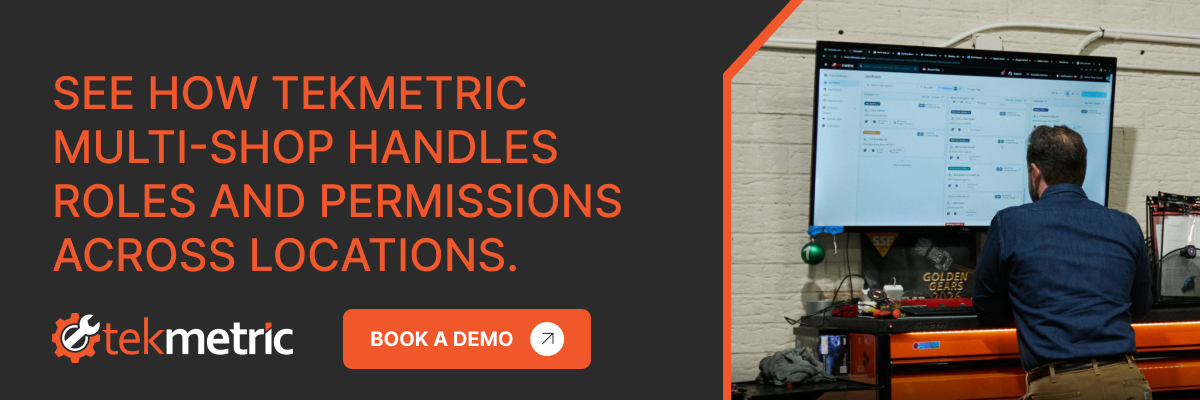
For operators running more than one location, the setup happens once. You create the employee in the Tekmetric Multi-Shop dashboard, choose their role and permissions, and select which shops they belong to. You also can see every employee in the organization in one list, including which shops each person is in and what their role is at each.
Organization owners set a separate level of Multi-Shop access on top of shop-level permissions, which is how you give a regional lead the portfolio view while a store manager keeps a store view. And because every permission change is logged with who made it, what changed, and when, the quarterly audit stops being an archaeology project.
"I've gone from doing the transaction to running the store to now have a team of ops guys that run the stores." — Matt Schwab, Clutch Automotive (MSO)
That progression is the whole point. Delegation is not a personality trait, it is an infrastructure question. You can only hand a store to somebody once the system can define what they are handing back.
The takeaway
Role-based access is unglamorous, and it is the difference between an operator who has five successful shops and an operator who has five struggling shops. Set the roles before you need them. Build them as groups you can reuse. Look at them again every quarter.
Then you are free to go somewhere else and still trust that the standard is still holding.
Before you begin researching different options on the market, you should ask yourself two key questions:
Am I at the stage where I need a new shop management system?
What do I want from a shop management system?
As you search for a suitable shop management system through automotive repair shop software reviews, it’s important that you diligently research any system you’re considering.
Find out what shops in your state are charging, and how to set a labor rate that keeps your shop profitable
In the automotive repair industry, your labor rate is more than just a number on an invoice — it is one of the key metrics that drives your business's profitability and overall growth. For shop owners, staying competitive while maintaining healthy margins requires a clear understanding of how labor costs fluctuate across the country. But knowing the national average is only half the picture. The more important question is: how does your shop compare?
Whether you are running a small independent shop or a high-volume operation, knowing where you stand relative to the average labor rate in your state — and against top-performing shops in your market — is essential.
This guide covers the current landscape of automotive repair labor rates across all 50 states, the factors that drive those numbers, and a step-by-step roadmap for setting a rate that supports your shop's long-term success.
Methodology and Key Terms
Tekmetric built this auto repair shop index as a community resource, backed by data from more than 10,000 shops across North America. Shops can use this tool to benchmark themselves and see how they compare state by state.
Key Terms to Know
Labor rate: The retail price per hour charged to the customer for repair services.
Flat-rate: A pricing model where a job is billed based on a predetermined number of hours from a labor guide, regardless of how long the actual repair takes.
Effective labor rate (ELR): The actual amount of labor revenue earned per billed hour after accounting for discounts, menu pricing, and unbilled time.
Understanding these terms will help you interpret the data below and apply it to your specific situation.
Mechanic Labor Rates by State
The average labor rate across the United States is $132 per hour, with the lowest state at $85 per hour and the highest at $197 per hour. Labor rates vary significantly by state, primarily driven by local cost of living and competition.
📊 See How Your Shop Compares — Free
The data below tells you what shops in your state are charging. But the labor rate is only one piece of the picture. The Tekmetric Shop Index lets you benchmark your shop across the four metrics that actually drive profitability — ARO, car count, parts margin, and effective labor rate — against thousands of real shops nationwide.
It's free, takes less than two minutes, and requires no Tekmetric account.
Why do auto repair labor rates vary so widely from state to state? A few key factors drive the differences.
Cost of Living
In states with a higher cost of living, shop owners face higher wages to attract technicians, more expensive rent, and elevated utility and supply costs. Those overhead realities push labor rates up — not because shops are padding their margins, but because the math demands it.
Shop Type and Specialization
Dealerships typically carry the highest labor rates because of their overhead, factory-trained technicians, and reliance on OEM parts. Independent shops often have more pricing flexibility, particularly for routine services like oil changes. Specialty shops — focused on European vehicles, diesel, or performance — tend to command higher rates as well.
A diagnostic job requires a different skill set than a brake job. Shops that employ ASE-certified technicians or master technicians can and should charge accordingly. The rate reflects the expertise required to do the work correctly.
Start with what it actually costs you to have a technician on the floor. This includes:
Wages and overtime
Payroll taxes
Benefits (health insurance, 401k)
Workers' comp and liability insurance
Training and certifications
Divide that total annual cost by the number of billable hours that technician produces in a year. That's your loaded cost — and it doesn't include any profit margin yet.
Step 2: Account for Overhead
Your labor revenue also needs to cover the cost of running the business:
Rent
Utilities and shop supplies
Marketing and software
Taxes
Step 3: Determine Your Target Profit Margin
Tekmetric shops average 65% labor profit margins. If your loaded cost for a technician is $45 per hour and you want a 65% margin, your base labor rate should be at least $128 per hour.
Step 4: Benchmark Against Your Market
Your internal numbers come first, but you can't ignore the local market. If your rate is $128 and every comparable independent in your area is at $100, you need to either clearly justify your value — through better inspections, faster turnaround, stronger communication — or find ways to reduce overhead. Benchmark against shops of similar size, service mix, and geography.
Step 5: Implement a Labor Matrix
Not every repair order is equal. Shops that implement a labor matrix can automatically adjust rates based on job complexity — billing more appropriately for diagnostic work or specialty repairs without manually recalculating every estimate.
Managing labor rates manually is a recipe for inconsistency and missed revenue. Here's how Tekmetric gives you the tools and data to stay ahead.
Know Where You Stand with the Tekmetric Shop Index
Before you can optimize your labor rate, you need to know how your performance compares to other shops. The Tekmetric Shop Index gives you free, instant benchmarking across four metrics: ARO, car count, parts margin, and effective labor rate. Enter your shop's numbers and see exactly where you rank against thousands of shops nationwide — no account required, no sales call, no commitment.
You can't improve what you don't measure. This is where that work starts.
Tekmetric's reporting features give you live visibility into ARO, car count, revenue, and technician productivity — so you always know how your shop is performing, not just at the end of the month.
Custom Labor and Parts Matrices
Tekmetric lets you build a labor matrix that automatically adjusts rates by job type. A custom parts matrix works the same way on the parts side, protecting your margins consistently across every repair order.
Digital Inspections That Justify Your Rate
Tekmetric's digital vehicle inspections let your team send photos and videos of needed repairs directly to a customer's phone. When a customer can see the worn brake pad or the leaking gasket for themselves, they're far more likely to approve the work — and far more comfortable with the rate attached to it.
Accurate Labor Guide Integration
Tekmetric integrates with industry-standard labor guides so your estimates are based on real, accurate times — not guesswork or memory. That means technicians get credited fairly under a flat-rate system, and your service advisers spend less time on paperwork and more time with customers.
Benchmark Your Insights Now
Knowing the average labor rate in your state gives you a useful reference point. But the shops that stay profitable long-term don't stop at state averages — they benchmark continuously, track the right metrics, and make adjustments based on data instead of instinct.
Your labor rate should reflect your actual overhead, your team's capabilities, and the quality of service your customers experience. Use the state data above as a starting point, then go deeper with the Tekmetric Shop Index to see how your shop compares across every metric that drives profitability.




.svg)



.svg)

.svg)
.svg)
.svg)
.svg)
.svg)
.svg)
