

Role-based access is the ability to control what each employee can see and do in your shop management software based on the job they hold. A technician clocks into jobs and completes inspections. A service advisor builds estimates, sells work, and takes payment. An owner sees the money. Each person gets what the job requires and nothing beyond it.
At one location, you can run loose. You are in the building. You hear the conversation at the front counter, you notice the discount before it posts, and you can walk 20 feet to correct something. Permissions are a convenience.
At three locations, they become the only way a standard survives when you are not there to enforce it.
What role-based access actually means in a shop management system
Two ideas sit underneath the term, and they are worth separating because vendors use them interchangeably.
A role is a job function with a default bundle of access attached. Roles are defined by titles like owner, manager, service advisor, and technician. It is the starting point when you create an employee.
A permission is a single switch that determines if someone can post a repair order, export a customer list, edit a labor rate, and refund a payment.
A system with roles but no granular permissions forces you into whoever the vendor decided a "technician" is. A system with granular permissions but no way to save a configuration forces you to rebuild that configuration by hand for every new hire. What you want is both — job-level roles you can adjust, and the ability to save the adjusted version and reuse it.
That last part is where most operators get stuck, and what breaks at scale.
What changes when you go from one shop to many
Three things shift, and they compound.
You stop being in the building
This is the obvious one and still the most underrated. Presence is a control system. Remove it and you need something to take its place.
"Now I can look at everybody at a glance. I can be in a different state, different city and know exactly what's going on in each location all the time. That's not something I had before."
— Leroy Ingram, Ooroo Auto Care (MSO)
Visibility is half of it. The other half is deciding, in advance, what each person is able to do when nobody is watching.
Every standard you set needs something holding it in place
Multi-shop operators spend real effort standardizing digital vehicle inspection templates, canned jobs, the labor matrix, and discount policies. Then they hand that standard to 20 people across five buildings and hope.
Permissions are what turn a policy into a setting. If only a manager can apply a discount above a set dollar threshold, the policy holds by default instead of by memory. If only two people at each store can unpost a repair order, your month-end numbers stay clean.
Auditing turns into a job nobody has time for
At one shop with six employees, you can check everyone's access in 10 minutes. At six shops with 60 employees, you cannot.
This is where some multi-shop operators fail. It is not that operators set permissions badly. It is that they set them once, correctly, and then never look again. Six months and four hires later, nobody can tell you who has access to what.
The permissions that carry the most risk across locations
If you are evaluating software, these are the specific controls worth asking a vendor to show you in a demo.
- Discount and pricing authority. Who can apply a discount? Who can change a labor rate or a pricing matrix? Every dollar discounted comes off the repair order total, which means it comes off both your average repair order (ARO) and your gross profit.
- Posting and unposting repair orders. Posting finalizes the repair order and creates the accounting entries. Unposting reverses it. You want the second one narrow: enough people to fix a genuine error, not enough to make your reporting unreliable.
- Employee and permissions management. Who can grant access is a separate question from who can edit an employee record. A system that treats them as one switch is giving away more than you think.
- Reporting visibility. A store manager should see their store. Not everyone needs the portfolio view.
- Customer export. The ability to download your customer list is the ability to walk out with it.
- Payments and accounts receivable. Anything that moves money after the fact, including open balances on fleet and credit accounts.
- Audit visibility. Login History shows who accessed the platform and when. The Inventory Activity Feed shows who changed what in parts. Permissions tell you what someone can do. Audit trails tell you what they did.
How to set this up before you open the next location
- Write the roles down before you touch the software. List every job title you actually have, not the four the software ships with. Master technician and apprentice are different jobs. So are store managers and service advisors.
- Build them as reusable groups, not one-off profiles. If you are adjusting permissions employee by employee after the fact, you have built something you cannot maintain and cannot audit.
- Decide what cross-location access means. Most people need one store. A handful need several. A very small number need everything. Be deliberate about which is which.
- Set the exception path. Someone will need something they do not have, at 4 p.m. on a Friday. Decide now who grants it and whether it gets reversed.
- Put a quarterly review on the calendar. Access drifts. Roles change, people move stores, someone gets covered for a week and keeps the access.
How Tekmetric handles role-based access across locations
Tekmetric is an all-in-one auto repair platform, and employee access is managed in one place rather than shop by shop.
New employees start from a default role — admin, service advisor, or technician — each with its own permission set. From there you can either adjust individual permissions or assign a saved permission group, so a master technician and a junior technician can carry genuinely different access without either being configured from scratch.
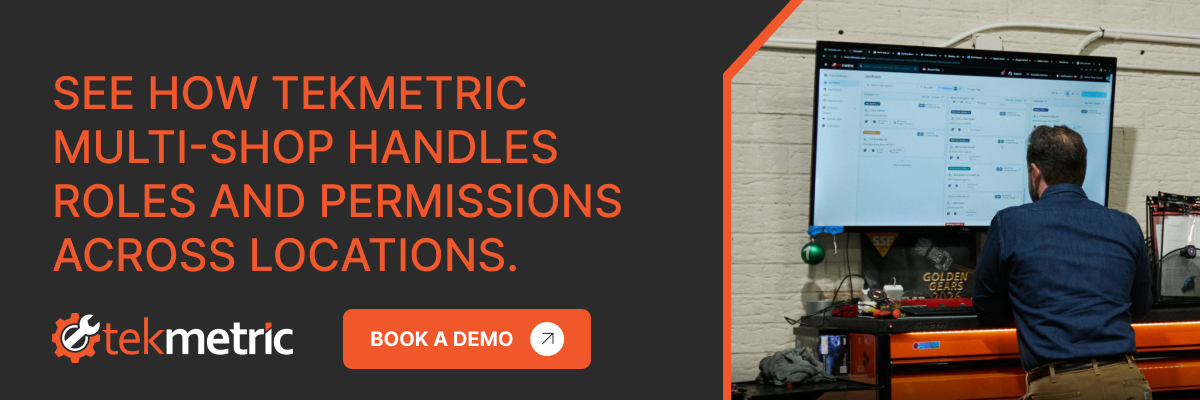
For operators running more than one location, the setup happens once. You create the employee in the Tekmetric Multi-Shop dashboard, choose their role and permissions, and select which shops they belong to. You also can see every employee in the organization in one list, including which shops each person is in and what their role is at each.
Organization owners set a separate level of Multi-Shop access on top of shop-level permissions, which is how you give a regional lead the portfolio view while a store manager keeps a store view. And because every permission change is logged with who made it, what changed, and when, the quarterly audit stops being an archaeology project.
"I've gone from doing the transaction to running the store to now have a team of ops guys that run the stores."
— Matt Schwab, Clutch Automotive (MSO)
That progression is the whole point. Delegation is not a personality trait, it is an infrastructure question. You can only hand a store to somebody once the system can define what they are handing back.
The takeaway
Role-based access is unglamorous, and it is the difference between an operator who has five successful shops and an operator who has five struggling shops. Set the roles before you need them. Build them as groups you can reuse. Look at them again every quarter.
Then you are free to go somewhere else and still trust that the standard is still holding.


.svg)



.svg)

.svg)
.svg)
.svg)
.svg)
.svg)
.svg)
