Traditionally, there are four pillars to an auto repair shop that all support one another: the shop owner, technicians, customers, and service advisors.
The integrity of the shop depends on each of these pillars in different ways. The shop owner needs to make the right calls and put the right systems in place for technicians and service advisors to do their jobs. Technicians must stay focused on repairs. And loyal customers keep the lights on.
By effectively leading your team, service advisors can support the other three pillars of the shop—and in turn, achieve balance and improve the quality of your job. Getting started in your Service Advisor career, or looking for some tips? Here’s how to lead your team with intention.
Strategize With the Shop Owner
During day-to-day operations, your service advisor duties and the decisions you make will directly influence the shop’s workflow. Because shop owners call the shots, and you see the day-to-day impact of their decisions, the relationship that you have with your shop owner is ripe for collaboration.
Tracking patterns can help you identify even more opportunities for shop growth:
As you delegate tasks based on priority and monitor your team’s performance, you might notice where there’s room for improvement.
If you see that a technician’s productivity has significantly decreased one month after a steady flow, you can work with them on an improvement plan to get back on track.
Service advisors might also notice where systems and processes can be improved. In many cases, productivity gaps aren’t the result of individual employees but rather the result of inefficient ways of doing things.
If you have a difficult time seeing the status of repairs or if you have to constantly leave your station to chase down a technician or a customer, a better shop management system can help add some transparency into the process.
Set Technicians Up for Success
One of your main service advisor duties is to maintain harmony in the shop. Finding the balance between helping customers and helping technicians keeps the wrenches turning.
It’s typically up to technicians to run inspections, but service advisors play a key role in handing off the inspection tasks.
If a customer comes into the shop concerned about a leak, you might prompt the technician to conduct a fluid inspection. One of your service advisor duties might even include creating vehicle inspection checklists that you can assign to technicians, helping them know exactly what parts of the vehicle to inspect.
After a technician completes the inspection, it’s now your turn to show the customer all the issues they found, write up an estimate, and sell the work. The more work you sell, the more work technicians have on their plates. And depending on how the shop pays service advisors and technicians, the more work you sell, the more money both of you make.
Once the work is sold, you can begin ordering parts and dispatching the jobs to one or multiple technicians. In many shops, ordering parts falls under service advisor duties, but some shops hire a parts manager to help find and purchase parts as well as manage the shop’s inventory. If your shop has a parts manager, you will still be responsible for communicating with them, especially when you write the parts side of the estimate.
When you dispatch work, you want to be careful to distribute the work evenly among technicians so that no one technician feels overloaded or that they’re not getting enough work. You might even want to know which technicians specialize in certain repairs so that you can foster better collaboration among technicians.
Support Your Team From the Ground-Up
It's also worth zooming out and thinking about setting your technicians up for success from a fundamental perspective. Everyone's working together as one piece of the puzzle at a your shop.
With service advisors keeping things organized, shop owners setting direction and goals and directing operations, technicians are the workers of your shop, the ones turning wrenches and fixing cars.
Something really interesting we uncovered in our recent Industry Index Report was that, on average, Tekmetric shops could pay their technicians almost $5 higher than the national average from 2022.
Shops should structure their team and payroll operations to, of course, maximize labor profit margins. But it's also critical that shop owners ensure employees are paid adequately for the work they do.
At the end of the day, one of the best ways to show your team how much you value their hard work is to compensate them well for the work they do, which will keep them motivated and driven to deliver great results!
Build Trust With Your Customers Through Transparency
Even though you work closely with the shop owner and technicians, the most important part of your service advisor duties is customer service.
A major element of leading your team is setting a good example for them on how to deliver great customer service.
Every day at the shop, you’ll need to take customers through the inspection and estimate process. Many customers will have questions about their car and the services you’re suggesting.
Probably the most challenging but rewarding of all the service advisor duties is building customer loyalty.
Standardized processes like including images with every Digital Vehicle Inspection sent to a customer, and features that help free up Service Advisors with fewer clicks or even detailed customer history, enable Service Advisors to create transparency, consistency, and amazing customer service at every step of the interaction.
When customers feel they can trust your shop, they'll be more likely to approve repairs. Especially those expensive, unexpected repairs.
By showing them exactly what's wrong, what needs to be fixed, and how much it'll cost, customers will be more likely to understand the why behind the repair, and not just focus on the cost.
Streamline Your Service Advisor Duties
Using Tekmetric’s many features, including the Job Board, Tech Board, and DVIs, you can set your team up for success—and create a shop environment where everyone can thrive.
Your automotive shop's service advisor plays an important role in the overall operation and even growth of your business. The service advisor explains maintenance and service needs to customers, and answers their questions in detail. The success of your business relies on having the right people in these roles and supporting them with necessary skills training.
To find the best candidates, look for people with potential or training in these areas:
Prasanth Chilukuri understands the challenges that shop owners face each day with gaps in their efficiency and margins, which is why he co-founded Tekmetric with Sunil Patel in 2016.
Vehicle Service Pros published some of Prasanth’s tips for strategically growing an auto repair business with a shop management system like Tekmetric.
You can access his full piece here, or check out some of the highlights below.
Balance Is Key to Making Better-Informed Business Decisions
Shop owners make countless daily decisions that affect their customers, their team, and their business.
Making good business decisions is essential to keeping everyone happy and keeping the lights on in the shop, but how do you know what the right decision is?
According to Prasanth, the key to any successful business is finding the right balance between soft skills like intuition or relationship-building and hard skills like data analysis.
Both types of skills are important, but knowing when to employ each one is the trick to making better-informed decisions and growing your business.
Intuition is useful when shop owners have to make split-second decisions and often goes hand in hand with interpersonal skills. The auto repair industry isn’t just about cars, after all; it’s about people, too.
By learning how to pick up on cues and anticipate the needs of customers, employees, and vendors, shop owners can foster long-lasting relationships that grow alongside their business.
Of course, there’s only one way to know whether your shop is truly turning a profit: look at the numbers and analyze the results. Data can support any hunches you have about the health of your business, for better or for worse, so you can plan accordingly.
But if your shop is still tied to manual methods, gathering key information about parts usage and labor costs is probably not easy or convenient.
Why Manual Methods Just Can’t Keep Up
A shop management system might not be able to make business decisions for you, but it can help shop owners make sense of their key metrics and data. According to Prasanth, looking at the cold, hard facts is essential to boost the efficiency and profitability of the shop.
The science of data might seem contrary to the art of intuition at first, but they’re more related than you might think. As Prasanth describes, data can add support to a shop owner’s intuition or observations and reveal key information that can’t necessarily be gathered from conversations with customers and employees.
Unfortunately, trying to sort through the shop’s data by hand can be exhausting and often means missing family dinners to crunch the numbers after hours. And manually calculating daily, weekly, or monthly metrics can quickly become a headache with much larger room for human error.
Without real-time reporting tools, inventory counts and gross profit can’t necessarily be trusted and will always provide an out-of-date view of your business at best.
Being tied to manual processes for data collection also means being tied to the shop and losing out on valuable face-to-face time with the customers supporting the business.
As a result, shop owners are often left making the difficult decision between nurturing their intuition and building relationships, or focusing on the data and shop profitability when both are essential to the long-term success of the business. With Tekmetric, you can do both.
Get the Full Picture With Tekmetric
Tekmetric is a shop management system that comes fully equipped with business reporting tools within a repair orders software suite.
Tekmetric tracks key performance indicators like employee efficiency, parts usage, and profitability ‘round the clock so shop owners can focus on the more high-level aspects of their business.
Real-time reports are always available with numbers that are already calculated and organized.
A bird’s eye view of the shop gives shop owners the power to tailor their business plan and strategy by:
Adjusting parts and labor matrices to maximize margins
Extending or removing a running promotion
Deciding to add more people to the team
Knowing when it’s the right time to expand the business with new bays or by opening a new location
In today's digital world, relying solely on word-of-mouth is like trying to change a tire with a pair of pliers—it’s inefficient and frustrating. You need a modern tool, a solution designed to attract new customers to your shop. That tool is Google Ads, a Pay-Per-Click (PPC) advertising platform allowing you to target new customers when they need you most.
If you've heard the term but aren't sure how it fits into your business plan, you're in the right place. This comprehensive guide will break down everything you need to know about Google Ads for your auto repair business.
What are Google Ads (PPC)?
At its core, Google Ads is a Pay-Per-Click, or PPC, platform where advertisers pay a fee each time one of their ads is clicked. Think of it as renting a prime piece of real estate on the first page of a search engine like Google or Bing. Instead of trying to earn those top spots organically through Search Engine Optimization (SEO), which can take months or even years, you're essentially paying to jump the line.
Types of Google Ad Campaigns
Search campaigns
Paid search ads are the most common type of Google Ad campaign, allowing auto repair shops to target based on keywords. Shops can find new customers by bidding on keywords like “Oil change near me” or “Transmission shop Denver, Colorado.” This campaign type is effective because you can target local customers at the moment they are searching for help.
Display campaigns
Display PPC campaigns are another effective campaign type that shops can use to target customers with more creative ads. Display ads offer a visual component that could be a static image or a short video. Display ads can show across a wider audience and are not confined to just Google search.
Retargeting campaigns
Retargeting campaigns are exactly what they sound like. Mechanic shops can target prospects who have visited their website with ads that can display on other websites. For example, a customer could have visited your website (YourShop.com) and then bounced to Forbes.com. You can then show an ad on Forbes.com (and other websites) as they browse the web, so your shop can stay top of mind.
Video campaigns
Video campaigns are mainly used by auto repair shops to target customers on YouTube. You can target automotive DIY videos where users may run into issues and look for a shop instead.
How to set up your first Google Ad campaign
Open a Google Ads account (if you haven’t already). Fill out your business information and attach your payment method. This is also a good time to delegate account access to other employees if needed.
Start your keyword research. Identify the search terms your potential customers are typing into Google when they need help (e.g., “brake repair near me,” “check engine light diagnostics,” “mechanic in Houston”). If you need help finding the right keywords, you can start by asking the next customer who walks in your door, “How did you hear about us?”.
Finalize your budget and bidding. Set the maximum amount you're willing to pay for a single click on your ad. This bid, combined with the quality and relevance of your ad, determines your ad's ranking position.
Find your audience. Select which geographical areas you want to target with your ads. Most shops select a radius around their physical location to ensure they are targeting customers nearby.
Add extensions. Extensions show up beneath your ad and can include your phone number or service-specific pages of your website. Extensions help you take up more room on Google and increase your chances of attracting a click.
Publish. Once you publish your ads, your ads will go through an approval process and either go live or be rejected. You can always make edits and resubmit your ads if they are initially rejected.
Monitor and analyze. Once your ads are running, you will be able to see clicks, impressions, cost, and other data in the Google Ads platform. You can even set up conversions and UTM tracking to see how many new customers are scheduling online appointments with your shop.
Should Mechanic shops use Google Ads?
The short answer is an emphatic yes. While many forms of marketing cast a wide net, hoping to catch a few fish, PPC marketing is like using a high-tech fish finder. For an auto repair shop, the "when" is just as important as the "who," and Google Ads excel at connecting you with customers at the moment of their highest intent.
Consider the mindset of a person who needs auto repair services. Their car is making a strange noise, a warning light is on, or worse, they're stranded on the side of the road. They aren't casually browsing; they have an urgent, specific problem that needs an immediate solution. What do they do? They pull out their phone and perform a Google search for a local mechanic.
This is where auto repair PPC shines. It allows your auto repair shop to appear at the very top of the results for those high-intent searches. You're not interrupting their day with an ad they don't care about; you are providing the exact solution they are actively looking for. This makes Google Ads one of the most effective marketing efforts for service businesses, especially in the emergency-driven auto repair industry. It levels the playing field, allowing dedicated local shops to gain immediate online visibility and compete effectively against large national chains.
Tek-Tip: Don't have enough time to run marketing campaigns? Learn more about Tekmetric Marketing, featuring online appointment booking, SEO-optimized websites, and automated review management.
Benefits of PPC Marketing for Auto Repair Shops
Integrating a well-managed PPC advertising campaign into your marketing strategy can deliver a host of powerful benefits that translate directly into more customers and higher revenue.
Immediate Traffic: Unlike email marketing or social media, a PPC campaign can start to drive traffic and generate phone calls almost overnight. Once your ad campaigns are approved, your shop can be visible to potential customers within hours, which is crucial when you have empty bays to fill.
Precise Targeting: PPC platforms offer incredibly granular targeting options. You can show your ads to people based on:
Location: Target users within a specific mile radius of your shop, in certain zip codes, or in an entire city. This ensures you’re not paying for clicks from people who are too far away to become customers.
Keywords: You target the exact automotive services you offer, from a simple oil change to complex engine issues.
Time of Day: Only want to run ads during your business hours to ensure someone is there to answer the phone? You can do that.
Device: You can bid more for mobile users, who are more likely to be in need of immediate help and use click-to-call features.
Budgetary Control: Worried about a runaway budget? With PPC, you're in the driver's seat. You set a maximum daily or monthly ad spend, and you'll never pay more than that amount. You can start small, test the waters, and scale your investment up or down based on your return on investment.
Measurable Results: This is a major advantage over traditional advertising. Every aspect of your PPC campaigns can be tracked. You can see exactly how many people saw your ad, how many clicked it, and how many of those clicks resulted in a phone call or a contact form submission.
Increased Brand Awareness: Even when users don't click on your ad, seeing your shop's name at the top of the search results builds familiarity and trust. When they see your name repeatedly for different service-related searches, you become a recognized authority in your local area. This boost in brand awareness is a valuable byproduct of a consistent PPC presence.
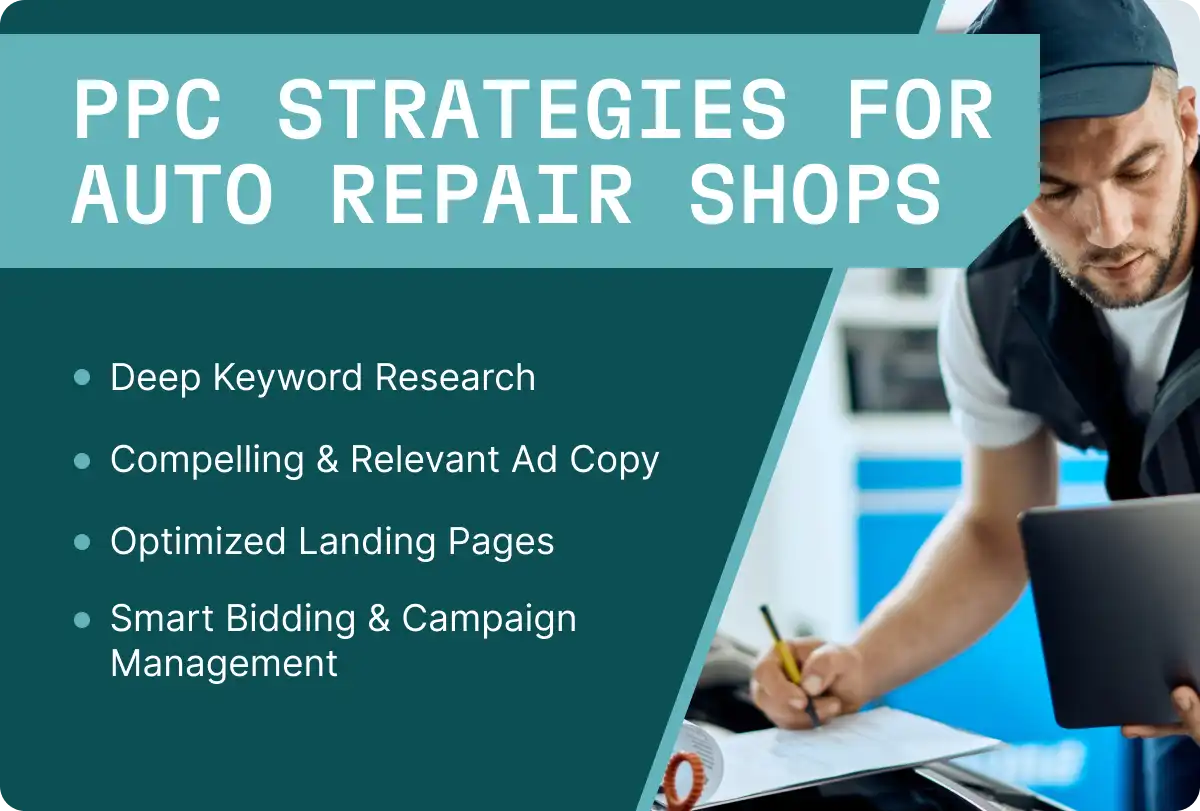
Effective PPC Strategies for Auto Repair Shops
Launching a campaign is easy; launching a profitable one requires a solid strategy. Simply throwing money at Google Ads without a plan is a quick way to burn through your budget. Here are the essential strategies to ensure your PPC ads deliver results.
Keyword Research
This is the foundation of your entire campaign. You need to get inside the heads of your target audience and think of keywords they would search for. Your keyword research should include:
Service-Specific Keywords: "brake pad replacement," "transmission repair," "car AC service."
"Near Me" Keywords: These are huge for local service businesses. Google often appends "near me" automatically for mobile searchers.
Negative Keywords: Just as important is telling Google what not to show your ads for. Add negative keywords like "jobs," "training," "DIY," "parts," and "free" to avoid paying for irrelevant clicks from job seekers or people looking to do the work themselves.
You should note that each keyword has a different cost per click average depending on location and number of competitors. Bid on keywords that are important for your shop and fit your budget.
Compelling Ad Copy
Your ad copy is your 3-second elevator pitch. It needs to grab attention and persuade the user to click.
Highlight Your Strengths: What makes you different? Mention your ASE-certified technicians, warranties on parts and labor, free loaner cars, 5-star reviews, or your years of experience.
Include a Strong Call-to-Action (CTA): Be direct. Use phrases like "Call Now for a Free Estimate," "Book Your Service Online," or "Get a Quick Quote."
Use Ad Extensions: These are extra snippets of information that make your ad bigger and more useful. Use call extensions to add your phone number for easy click-to-call, and location extensions to show your address and link to Google Maps. Sitelink extensions can direct users to specific service pages on your website.
Optimized Landing Pages
A click is wasted if the user gets to your website and is confused or unimpressed. Your landing pages must be designed to convert visitors into customers.
Relevance is Key: If your ad promises "Brake Repair Services," the landing page should be all about your brake repair services, not your homepage.
Mobile-First Design: The majority of auto repair searches happen on mobile phones. Your page must load fast and be easy to navigate on a small screen.
Clear Contact Information: Your phone number and address should be prominently displayed and clickable.
Build Trust: Feature customer reviews, testimonials, photos of your shop, and logos of any certifications (ASE, AAA Approved, etc.).
Bidding and Campaign Management
Google Ads is not a "set it and forget it" strategy. To truly succeed, you need to actively manage and optimize your campaigns.
Structure Your Campaigns: Create separate PPC campaigns for each major service category (e.g., Brakes, Engine, Transmission, General Maintenance). This allows you to tailor your ads and landing pages for maximum relevance, which Google rewards with a better Quality Score and lower CPC.
Track Everything: Implement conversion tracking to monitor not just clicks, but actual leads—phone calls and form submissions. This is the only way to measure true campaign performance.
Continuously Optimize: Regularly review your metrics. Pause keywords that aren't performing, test new ad copy, and adjust bids to focus your ad spend on what drives the best conversion rates.
How Much Should Automotive Shops Invest in Google Ads?
This is the most common question, and the answer is: it depends. The right budget for your shop is influenced by several factors, including your location's competitiveness, the specific services you're advertising, and your overall growth goals. A shop in rural Nebraska will have a much lower cost per click than one in downtown Los Angeles.
Instead of focusing on a magic number, think about your investment in terms of objectives and ROI. A good starting point for a small to medium-sized auto repair shop might be anywhere from $500 to $2,000 per month. This initial investment allows you to gather enough data to see what works.
The most important metric isn't the upfront price; it's the return on investment. If you spend $1,000 on Google Ads in a month and it brings in five new repair jobs that generate $4,000 in revenue, your marketing efforts have delivered a 4x return. From that perspective, the initial cost is more than justified.
For shops new to this space, partnering with a digital marketing agency that specializes in Google AdWords services can be a wise investment. They have the expertise to avoid common pitfalls, maximize your budget, and accelerate your path to profitability.
Final Thoughts
In a competitive market, standing still means falling behind. Pay-per-click advertising is the fuel your marketing strategy needs to accelerate past the competition. It offers an unparalleled ability to connect with customers at their moment of need, providing immediate, targeted, and measurable results.
By conducting thorough keyword research, crafting compelling ads, building high-converting landing pages, and diligently tracking your campaign performance, you can transform your online presence from a sputtering engine into a finely tuned machine that consistently delivers new customers. It’s time to take control of your lead generation and explore what a well-executed auto repair PPC campaign can do for your shop.




.svg)



.svg)

.svg)
.svg)
.svg)
.svg)
.svg)
.svg)
