Adjusting your pricing on parts to make a profit is pretty straightforward. But when it comes to labor times for auto repair shops…that’s where things can get a bit tricky. Yes, you need competitive labor rates, but you also need to keep those rates reasonable so you don’t scare off your customers with sky-high prices.
3 ways your shop can make more money on labor:
By using a labor matrix
By creating custom labor rates
By applying a labor guide markup
Before we dive into the differences between these three methods for setting the best labor times at your shop, here’s a quick refresher on the one thing these methods have in common: the labor guide.
What is a Labor Guide?
A labor guide is like the gospel of labor times for auto repair shops. It tells you how long, on average, it takes to complete different types of repair work. Remember that the times listed in auto repair labor guides are averages, so it’s best to treat them as a starting point.
Factors That Can Affect Labor Times for Auto Repair Shops
Let’s take a look at some of the factors to consider when determining how much to mark up (or mark down) your shop’s labor rates.
Age of Vehicle
Older vehicles are often trickier to fix, especially because finding parts for them can require a time-consuming hunt across parts suppliers. You can make up for the time spent hunting down uncommon parts by charging more for all repairs involving vehicles over a certain age.
Geographic Location
Some areas lead to different types of repair challenges that can affect the time it takes for repairs. For example, shops in Syracuse, New York—the snowiest city in America—might find themselves working with cars that have rust, which can significantly add to the time it takes to remove or even clean certain parts.
Experience of Technician
Chances are, you’re already paying experienced technicians a higher base salary or hourly rate. However, certain situations might call for cranking up those numbers, like if you really need to put their skills to the test for a tricky repair for a client who wants it done ASAP.
Customer Needs
You can offer customers who need their cars back fast a “Pro Tech” rate, where your tech wraps up the job in record time. When you’re asking techs to complete a job faster than the time on the labor guide, and still do a good job, the customer is getting special service. Be sure to let customers know that speediness comes with a surcharge.
Relationship With Customers
It’s a good idea to consider giving loyal customers a special rate as a token of appreciation. With that said, industry leaders advise sticking to your labor rates as much as possible, because if it becomes a habit, you risk financially harming your business.
How to Choose a Reliable Labor Guide
A reliable auto repair labor guide is foundational for your shop when you’re setting labor rates, so you’ll want to use a labor guide that stays up-to-date with the latest labor times in the industry. Just like many people use online directories instead of the Yellow Pages, many auto repair shops use digital labor guides that are constantly updated with the latest labor times.
When seeking out a digital labor guide, look for one that:
Offers consistent, comprehensive data on labor times from industry leaders, so you can set accurate labor rates that will keep your shop profitable
Adds labor times for new vehicles and jobs periodically, so your shop’s pricing can stay competitive
Integrates with your auto repair shop management software, so you don’t have to dig through multiple systems
When customers walk into your auto repair shop, they’re trusting you and your team with the health of their vehicle, one of their most expensive assets.
They’re coming in with a problem or set of problems and expect your team to effectively fix those problems in a reasonable time frame.
And modern expectations for customer service have shifted as our technology has evolved. Customers don't want to have to find time for a phone call when they can just get texted updates about their repairs, and digital tools make it easier for shops to build transparency in their process.
Modern auto repair shop software not only makes it easy but lays the foundation for a modern customer experience at every step.
Offering a Modern Auto Repair Shop Customer Experience Starts with a Modern Shop Management System
We're big advocates of modernizing your auto repair shop, and we don't necessarily mean replacing all your racks, updating all your compressors, and swapping out your alignment rack. Sure those might help, but we get those can be really big investments.
That's why we're focused on the behind-the-scenes operations of your shop, the overall management and flow of repair orders. Modern shop management software enables owners, managers, service advisors, and technicians to gain visibility into, and control over, their individual part of the process with specific functions:
Cloud-based shop management
Real-time control
Digital Vehicle Inspections
Built-In Payment Processing
Digital Shop Communications
Efficient Parts and Inventory Management
While all of these directly work to modernize your shop operations, they also work to modernize your shop experience for customers.
When your shop is using Digital Vehicle Inspections instead of paper printouts, you're not only making it easier for your technicians and service advisors to communicate and collaborate, but you're also modernizing how your shop interacts with customers, by emailing or texting results and approval requests.
Tekmetric standardizes how every auto repair shop operates
Running multiple shops should mean more revenue, more repair orders, and more momentum. For most MSOs, it also means more complexity, inconsistency, and time spent putting out fires instead of building the business.
The problem isn't growth. It's that most shop management systems weren't built for it. Separate logins for each location. No unified view of revenue or performance. Processes that drift from shop to shop until every location is running differently and nobody can figure out why the numbers don't match. Tekmetric fixes that at the root — one platform, every location, standardized from day one.
Tekmetric shops see measurable revenue growth as they adopt platform features. Shops average $612 per repair order (ARO), but that number climbs to $741 when they use Digital Vehicle Inspections and reaches around $800 when they add MotoVisuals videos. The lift isn't about charging customers more; it's about transparency, showing them what their vehicle needs so they can make confident, informed decisions. It also builds trust.
The operators running on Tekmetric show what that looks like in practice. Main Street Auto, a nationwide network of community-rooted shops, grew from six locations to more than 115 with Tekmetric at the core of every one. Rush Automotive, in Austin, Texas, saw $9,000 in new revenue in the first month across five locations. CarTech Auto Center, operating across multiple locations in Puerto Rico, grew monthly revenue 48% in nine months. The platform didn't change their ambition. It gave them the infrastructure to act on it.
Customer Experience
Customers Don't Know Which Location Is Your Best. Tekmetric Ensures They Can't Tell the Difference.
Inconsistencies across locations cost you. Skipped DVI photos, estimate delays, and declined jobs that nobody follows up on quickly add up, decreasing your revenue, and negatively affecting customer experience.
The shops that grow their ARO, earn repeat business, and generate the kind of reviews that actually drive traffic all share the same foundation: customers trust them. And trust isn't built in a single interaction — it's built through consistent, transparent communication every single time a vehicle comes in.
Tekmetric gives you the tools to make that consistency automatic. Inspections follow the same template at every location, with photos and video built into the estimate. Customers get their quote by text, approve the work from their phone, and can pay before pickup with Tekmetric Payments built in. Text-to-Pay, card-on-file, and Buy Now, Pay Later options make checkout faster and remove friction from bigger approvals. Their vehicle history travels with them, so when a customer visits a different one of your locations, whoever's at the desk already knows their vehicle history.
With Tekmetric Marketing running in the background, customers get automated appointment reminders, follow-ups on declined services, and service reminders based on real vehicle data. Online booking lets them schedule service 24/7 without picking up the phone. Google Review requests go out automatically after every completed service, turning great work into lasting reputation.
When shops share eight or more inspection photos with customers, ARO goes up because customers can see the repairs their vehicle needs. Euro Car Doctors, in Orange County, Calif., used that approach and grew their average ARO to more than $900. Garagisti, in Houston, Texas, built a practice around transparent, DVI-driven customer communication from day one and has averaged a $1,600 ARO since opening.
What This Looks Like in Practice
Standardized DVIs, streamlined customer communication, and shared vehicle history across every location so every customer gets the same experience regardless of which shop they walk into
Text-to-Pay and Buy Now, Pay Later built into checkout to speed up payments and boost approval on bigger repairs
Automated follow-up on declined services and service reminders that run from real vehicle data, not generic time intervals
Online booking available 24/7 so customers can schedule service without waiting for business hours
Google Review requests sent automatically after every completed service — no manual steps required
Permissions & Access Roles
Tekmetric Puts the Right Data in Front of the Right People Across Every Location
When you add a location, you're not just adding bays, you're adding staff, risk, and the need for accountability at a distance. The right access structure makes all three manageable.
Most MSOs hit a wall when they try to manage growing teams without the right controls in place. Too much access creates risk such as errors in repair orders, incorrect discounts, and sensitive financial data visible to people who don't need it. Too little creates friction, leaving advisors waiting on approvals, technicians without job visibility, and managers unable to make calls on their own.
Tekmetric gives you granular, role-based controls across every location. Technicians see their job queue, their assignments, and their hours. Managers have what they need to run their shop without touching another location's data. Advisors can build estimates, communicate with in-store customers, and process payments. Owners see the full portfolio in real time from a single login.
Before switching to Tekmetric, Will Rivera, owner of CarTech Auto Center in Puerto Rico, had to log into each of his five stores separately just to check sales or inventory. There was no unified view of the business, no way to enforce consistency, and no clean data to make decisions from. Within nine months of switching, CarTech had grown monthly revenue by 48%. Once CarTech had the structure to run five locations cleanly, expansion became the goal instead of survival.
Cross-location visibility for owners and ops leaders, with shop-level access for everyone else. Accountability is built into the platform and not enforced manually.
Controlled access to sensitive actions like unposting ROs, giving the right people the ability to correct errors without opening the door to bigger ones
Change Management
Switching Shop Software Doesn't Have to Disrupt Your Business. Here's How MSOs Make It Work.
Adopting new software across multiple locations is a real operational challenge. Tekmetric is built for it, from contract to live in a few days.
Christian Brothers Automotive migrated about 200 stores to Tekmetric in three months. Main Street Auto onboards 20 to 25 new locations a year and keeps growing. These aren't small transitions executed by large IT teams — they're operational rollouts managed by auto repair shop employees, built around Tekmetric's onboarding process.
Every new Tekmetric customer gets a dedicated onboarding manager who builds a rollout plan around your schedule, not a generic timeline. Data migrates. Workflows get configured. And most teams are fully operational within a week of going live, with results measurable within 30 days. That's not a promise. It's a framework Tekmetric has built and refined across thousands of shop launches.
The platform itself is designed to be learned fast. SJ Automotive cut estimate creation time from 40 minutes to about 10 minutes after switching. That's not a team that spent weeks in training. That's a team that picked up an intuitive tool and immediately got more done. When the platform is easy to use, adoption isn't a change management project. It's what happens when the tool earns buy-in on its own.
What This Looks Like in Practice
A dedicated onboarding manager, data migration support, and a go-live timeline built around your shops, not a one-size-fits-all playbook
An intuitive platform with a training hub, knowledge base, and U.S.-based support, so your team gets productive fast and stays that way
Access to the Tekmetric User Group, a community sharing what works, so you grow alongside operators who have already been where you are
Inventory & Parts Sharing
Stop Paying for Parts You Already Own. Tekmetric Gives Every Location Real-Time Visibility Into Stock.
When parts data is fragmented across locations, technicians wait, repairs get delayed, and margin slips through the cracks. Tekmetric centralizes inventory across every shop so your team always knows what's in stock, what's on order, and where to find it.
Multi-location inventory has a way of quietly breaking down. Parts get ordered twice because one location didn't know another had them. Technicians start jobs they can't finish. Reconciliation eats hours at the end of every month. The fix is straightforward: one centralized view of what's in stock across every location, updated in real time.
With Tekmetric, every authorized user sees real-time parts availability across every location. Orders happen directly inside the repair order — no supplier portal, no manual entry, no switching systems. When a technician picks up a job, they can see immediately whether parts are in stock or on order, so they're never starting work they can't complete. And when inventory hits a minimum threshold, reorder alerts surface automatically.
What This Looks Like in Practice
Real-time parts visibility across every location, connected directly to the repair order workflow so technicians, advisors, and managers always know what’s in stock
Parts ordering through PartsTech and others, directly from inside the RO. No portal toggling, no duplicate entries.
Automatic reorder alerts, purchase order tracking, and parts usage reports that give ops leaders a clean view of inventory performance across the portfolio
Profitability & Reporting
The Gap Between Your Best Auto Repair Shop and the Rest Isn't a Mystery. It's a Data Issue.
You know which locations perform. Tekmetric shows you exactly why, in real time, so you can act before the day is done.
Most MSOs are managing with last week's numbers at best. Reports get built manually. Data gets pulled from separate systems. By the time you know there's a problem at a location, the opportunity to act quickly and solve it is gone. That lag doesn't just slow down your decisions, it costs you money in real time.
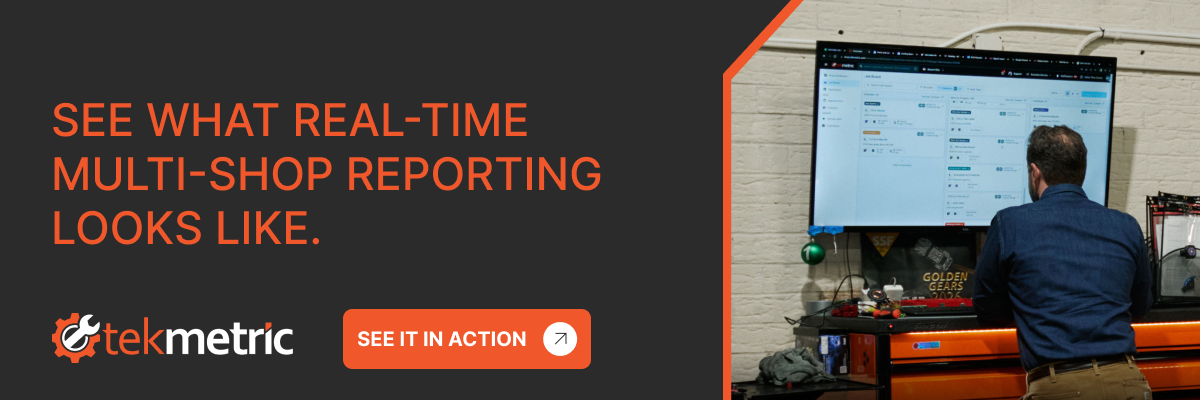
Tekmetric's portfolio dashboard puts every location's data in one live view. ARO, car count, close ratio, gross profit, and technician efficiency are all filterable by shop, advisor, and date range, giving you a complete picture of what's working and where the gaps are. Seeing your top performer and your underperformer side by side makes it clear exactly what the best shop is doing that the others aren't.
The operators who use this visibility don't just track results — they act on them. Branch Automotive used Tekmetric's real-time data to build nine straight month-over-month increases in ARO, driven by stronger inspections, clearer recommendations, and the kind of customer trust that leads to consistently higher-value work. These aren't outliers; they're what happens when operators finally have the data to make better calls.
What This Looks Like in Practice
A portfoliowide dashboard showing ARO, car count, close ratio, and gross profit across every location in real time with shop-level filtering so you can see the full picture or drill into one location
Built-in reporting on technician productivity, DVI impact on ARO, end-of-day reconciliation, and discount and fee analysis — no exports, no spreadsheets, no five-hour Friday afternoon
Labor and parts matrices that lock in consistent pricing across locations, protecting margins and making every shop’s numbers comparable
If you’re an automotive shop owner or service advisor looking to upgrade your system, you’ve likely encountered the name Tekmetric. Like any smart shopper, you are looking for a free trial of Tekmetric before you purchase. Below, you can find a few options to test drive Tekmetric for free.
Option 1: Free Tekmetric Trial
To access your free Tekmetric self-guided trial, you can use this link here. It will walk you through the key parts of the Tekmetric software, customer experience, estimate building, customer approvals, digital vehicle inspections, and more. Afterwards, you can book a demo to chat with our sales team and start the onboarding process.
Option 2: Personalized Demo with Tekmetric
If you prefer to chat with a Tekmetric employee, you can book a demo here and ask any questions you have. We will show you how Tekmetric can maximize your efficiency, improve your customer experience, and boost sales. We will also talk about your shop's needs, goals for your business, and what gives your shop a competitive edge.
Option 3: Case Studies and Customer Reviews
We think our customers are the best sales team. So, we have provided our customer success stories, real customer reviews, and G2 rankings to aid in your decision-making process. This is a great place to see the ROI Tekmetric can provide for your shop.
Tek-Tip: Ask ChatGPT or Gemini for a summary of Tekmetric and how it could be a fit for your business.
Final thoughts
Whichever option you pick, we hope you will give Tekmetric a try. Built by a former shop owner, Tekmetric understands the importance of finding the right software for your shop. Tekmetric offers month-to-month pricing options in addition to discounted annual plans to fit any budget. Unlimited users, unlimited RO's, unlimited support, no hidden fees. Are you ready to take your shop to the next level?




.png)

.svg)



.svg)

.svg)
.svg)
.svg)
.svg)
.svg)
.svg)
