Most Affordable Auto Repair Shop Software (under $200/mo)

Benjamin Johnson

|

December 31, 2025

|

Read time: 3 min

Key Takeaways

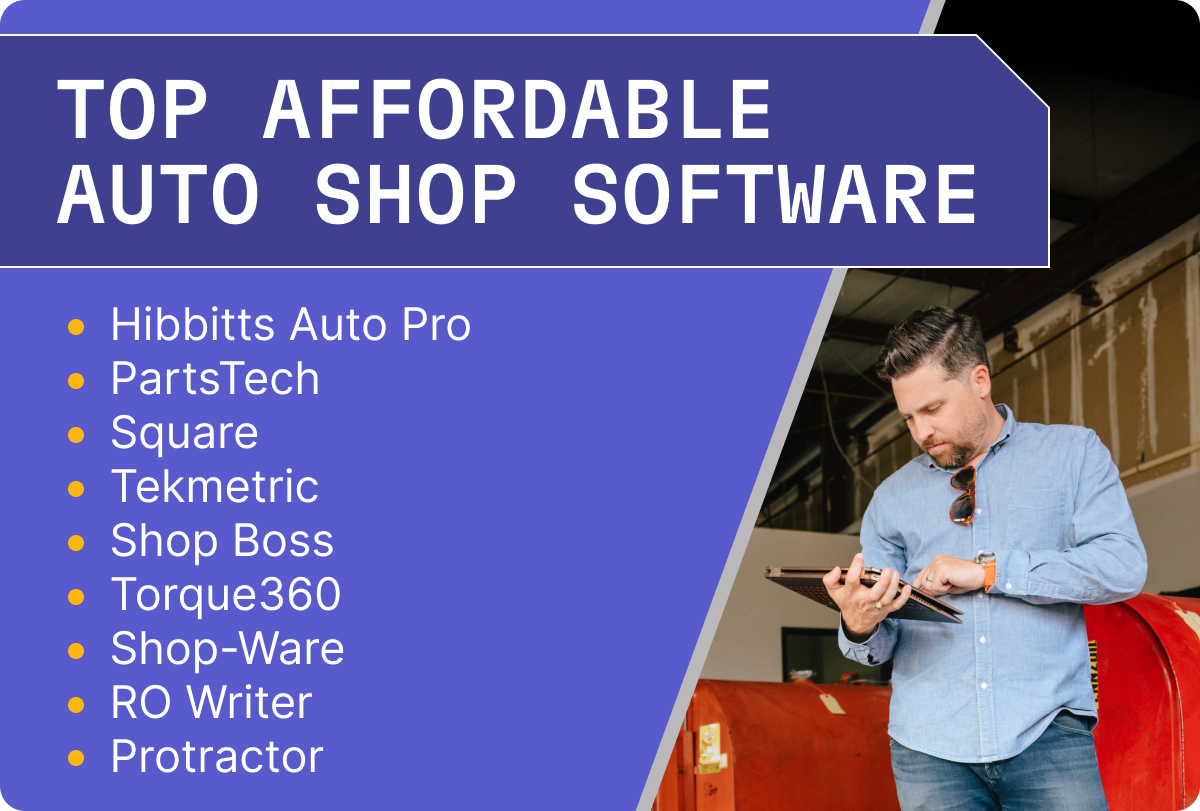
  • Best free automotive software: Hibbitts, PartsTech, and Square
  • Best automotive software under $200/mo: Tekmetric, Shop Boss, and Torque360
  • Best automotive software under $400/mo: Shop-Ware, RO Writer, and Protractor

Running an auto repair shop is a balancing act. Between managing a busy workflow, keeping repairs on schedule, and ensuring every customer leaves satisfied, there isn't much time left to deal with complicated computer programs. You need a shop management solution that works as hard as you do, but you don't want it eating up all your profit margins.

Today, even small shops and mobile mechanics can access professional-grade management tools for a fraction of the cost. Whether you are looking for a way to streamline your day-to-day tasks or need a full, all-in-one system with digital vehicle inspections, there is an affordable option out there.

Most affordable auto repair shop software options.

Free Mechanic Shop Software Options

If you are just starting out or keeping things extremely lean, "free" is a price tag that’s hard to beat. While most free software comes with limits on users or features, these options may be a good place to start.

Hibbitts Auto Pro

Hibbitts is a veteran-owned and operated software solution for mechanic shops. Offering a free version that includes estimates, invoices, and POS, this solution can be a good starting point for new shops. More mature shops may need more functionality and modern features, but this can be a good stepping stone to an all-in-one solution.

Hibbitts free features include:

  • One free user
  • CRM
  • Estimates
  • Invoices
  • POS

PartsTech

While not a full-blown auto repair shop management software, PartsTech is an essential tool for any shop. It allows for parts ordering from multiple vendors in one place. Instead of calling three different stores, you can see real-time availability and pricing instantly. They offer a free tier with limited functionality so you can test out the solution.

PartsTech free features include:

  • Unlimited users
  • Unlimited parts lookups & ordering
  • License plate and VIN lookups
  • Full vehicle diagrams
  • Integrates with 35+ shop management systems

Square

Square is a popular POS software for all types of businesses. It does lack most modern shop management features, but it can help smaller shops schedule and take payments.

Square free features include:

  • Invoices
  • Estimates
  • Point of sale
  • Scheduling
  • Basic website

Best Auto Repair Software Under $200 a Month

This is the "sweet spot" for most shop owners. In this pricing bracket, you get professional functionality, reliable customer support, and the ability to streamline your entire mechanic business without breaking the bank.

Tekmetric

Tekmetric is the only all-in-one solution that was built by a former shop owner. With intuitive workflows, modern features, and reliable support, Tekmetric is a leading shop software option for under $200 a month.

Tekmetric features include:

  • Estimates
  • Digital vehicle inspections and mobile app
  • Marketing/CRM solution
  • Payments and POS
  • Single, multi-location, and franchise support
  • 70+ integrations

Shop Boss

Shop Boss is a modern shop management system with a base plan starting under $200/mo. Offering competitive features and support, Shop Boss is a solid pick for shops that have larger budgets.

Shop Boss features include:

  • Canned jobs
  • VIN scanner
  • Payments
  • Dashboards
  • DVIs

Torque360

Torque360 is a well-rounded software option for all types of shops. Torque360 has a variety of uses and supports automotive, marine, and RV shops.

Torque360 features include:

  • Digital vehicle inspections
  • POS
  • Inventory management
  • Mobile app
  • Estimates & invoices

Top Automotive Software Under $400 a Month

If your mechanic shop is growing or you have multi-location ambitions, you may be able to justify a more expensive software solution. However, expensive doesn’t always mean better. Focus on the features your shop needs today and what your shop will need to scale in the future.

Shop-Ware

Shop-Ware starts around $224/mo, but offers a competitive all-in-one shop management software. Supporting single and multi-shop businesses, Shop-Ware might be a good solution for your shop.

Shop-Ware features include:

  • CRM
  • Estimates and invoices
  • DVIs
  • Payments
  • Inventory management

RO Writer

RO Writer is a cloud-based automotive shop software and starts at around $219 per month. Offering a modern all-in-one solution, this is a competitive option in the auto repair shop software space.

RO Writer features include:

  • DVIs
  • Single and multi-shop support
  • Inventory management
  • Faster workflows
  • Reporting

Protractor

Protractor is the most expensive software we researched, starting around $359/mo. This may be a good solution for multi-shop businesses or shops looking to scale quickly.

Protractor features include:

  • Digital vehicle inspections
  • POS
  • Online booking
  • Repair orders
  • Inventory management

Which features should I look for?

When we talk about pricing for auto repair software, it’s easy to focus only on the monthly bill. But remember the real "cost" is the time you waste on a bad system. A good software solution will pay for itself within a few months.

Most importantly, it should streamline your workflows and reduce friction in the shop. Some key features to look for in any shop software:

  • Customer communication: Two-way texting can save you and your service advisors a lot of time.
  • Marketing and CRM: Online scheduling, modern websites, Google review management, and service reminders are all important features to keep your bays full.
  • Payments and POS: Taking payment quickly and securely is one of the most important features for any shop.
  • Scalability: Find a software solution that supports your long-term goals.
  • Cloud-based: If you are on the go a lot, find a solution that keeps up with your busy schedule.
  • Support: Before you buy, give each software company a call and see which one will pick up their phone for support needs.

Final Thoughts

Choosing the right auto repair shop management software is one of the biggest decisions you’ll make for your business. The goal of any shop management software isn't just to track repair orders—it's to reduce friction in your workflows. By using modern software, you can spend less time behind a desk and more time doing what you love.

👉 Ready to grow your automotive business? [Book a personalized Tekmetric Demo Here]

FAQ

What are some affordable auto repair shop software options under $200 per month?

Is free auto repair shop software available?

similar articles

As a shop owner, you aren't just selling a car repair; you are selling expertise, specialized equipment, and peace of mind. If your rates are too low, you’ll struggle to keep the lights on. If they’re too high without the value to back them up, customers may opt for a competitor.

In this guide, we’ll walk through exactly how to find that "sweet spot" for your labor rate so you can build a sustainable, profitable shop.

How much should a mechanic charge per hour?

Mechanic shops should charge a labor rate that is competitive in their area, covers their overhead costs (rent, utilities, employees, etc.), and allows them to maintain a healthy profit margin (40-70%) to run the shop. Whether you are an independent shop or a large dealership, your labor rate and parts markup are your primary vehicles for maintaining profitability.

Key terms to know

Before we dive into the math, we need to understand these concepts.

  • Loaded labor rate: is the true cost of an employee, including their hourly wage, taxes, benefits, and insurance.
  • Hourly labor rate pricing: is the "posted" rate—the number your customers see on the repair estimate. It is the flat dollar amount you charge per billable hour.
  • Flat-Rate pricing: is a system where a specific repair is assigned a predetermined amount of time (e.g., a water pump replacement is "booked" at 3.4 hours). The customer pays for 3.4 hours regardless of whether the auto mechanic finishes in two hours or five.
  • Effective labor rate (ELR): is the real-world number that matters. It’s calculated by taking your total labor sales and dividing them by the actual hours your technicians worked.

How to set your automotive shop labor rate (step by step)

Setting your rate shouldn't be a guessing game based on what the guy down the street is charging. It should be a data-driven decision. Here is a step-by-step approach to finding your labor rate.

How to set your mechanic labor rate.

Step 1: Calculate your "loaded" labor cost

First, determine exactly what it costs you to pay an employee. This isn't just their hourly wage. You should include:

  • Wages and overtime.
  • Payroll taxes.
  • Benefits (Health insurance, 401k).
  • Workers' comp and liability insurance.
  • Training and certifications.
  • Any other benefits you provide employees.

Divide this total annual cost by the number of billable hours that the employee produces in a year. This is your "loaded" cost and does not include any profit margin.

Step 2: Account for overhead

Your labor revenue needs to cover more than just the employee. It must also cover the overhead costs of running an auto repair business:

  • Rent.
  • Utilities and shop supplies.

Step 3: Determine your desired profit margin

In the automotive industry, labor profit margins vary greatly, but most shops aim for 40-70%. If your loaded cost for a technician is $45 per hour and you want a 65% profit margin, your base mechanic labor rate should be at least $128 per hour.

Step 4: Benchmark against your competition

While your internal numbers should be your primary focus, you shouldn’t ignore the local market. If your labor rate is $128 per hour but every other independent shop in your town is at $100, you need to either justify your value through superior service or find ways to reduce your overhead. Make sure you benchmark against competitors of similar size, services offered, and geographically nearby.

Step 5: Implement a labor matrix

Not every repair order is the same. Many successful shops use a labor guide combined with a labor matrix that slightly increases the rate for more complex jobs or diagnostic work. Shops that perform more specialized repairs or focus on specialty vehicles should heavily consider implementing a labor matrix.

Which factors impact labor rates?

Your rate shouldn't be static. Several external and internal factors will influence how much you can—and should—charge for car repair services.

  • Location: A higher cost of living in cities like California or New York necessitates higher labor rates compared to rural towns. Your technicians need to earn enough to live nearby.
  • Shop type: A general auto repair shop usually has lower rates than a specialty Euro shop or a heavy-duty diesel facility. Specialization requires more expensive tools and higher-paid talent.
  • Certifications: If your team holds advanced ASE certifications or factory training, you provide more value. Customers are often willing to pay more for a repair estimate from a shop they trust to do it right the first time.
  • Warranty: If you offer a service warranty, you are taking on more risk and can charge more for the peace of mind.

5 Ways Tekmetric can help your shop be more profitable

Tekmetric can help you be more profitable by providing the features and reporting you need to make better business decisions. Tekmetric shops average a 65% labor profit margin by utilizing modern features that help you build trust with your customers and keep them coming back year after year.

  1. Custom labor matrix: Tekmetric allows you to set up labor matrices that automatically adjust your mechanic labor rate. This ensures you don’t undercharge for difficult work.
  2. Real-Time reports: Stop waiting until the end of the month to see if you made money. Tekmetric gives shop owners a real-time look at their gross profit, plus many other helpful metrics.
  3. Measuring effective labor rate: As we discussed, your posted rate isn't always what you take home. Tekmetric tracks your ELR automatically, showing you exactly where "leaks" (like excessive discounting or slow techs) are happening.
  4. Digital Vehicle Inspections (DVI): Higher rates are easier to justify when you can show the customer exactly why they need the work. Tekmetric’s DVIs build trust and increase customer satisfaction, making the price conversation much smoother.
  5. Technician efficiency: By tracking technician efficiency and productivity within the platform, you can see which members of your team are hitting their goals and which employees might need more coaching.

Final thoughts

Setting your labor rate requires constant attention to your local market, your internal costs, and the evolving complexity of car repair. By following these steps, you’ll ensure that your shop doesn't just keep cars running—it keeps your business thriving. If you have questions about Tekmetric or how we can help your shop be more profitable, book your free demo today.

Setting Your Automotive Repair Labor Rate (5-Step Guide)

March 19, 2026

Read time: 3 min

read more

Today, online reputation management is a key tactic top shops use to attract more customers. Online presence is often the first—and sometimes only—impression a customer has of your business. This guide will dive deep into why automotive reputation management is no longer optional, how it impacts your SEO search rankings, and the specific strategies you can use to attract more 5-star reviews.

The importance of online reviews for auto repair shops

Why do online reviews matter so much in the auto repair world? The answer is that most customers check online reviews from Google and other search engines as part of their decision-making process. In addition, online reviews impact your SEO rankings and can help you differentiate your shop from the competition. Here are some other top reasons to keep track of your reviews:

Build trust

High-quality testimonials help build trust before the customer even sets foot in your lobby. Research consistently shows that the majority of customers read online reviews before feeling they can trust a local business. For auto repair shops, positive reviews act as social proof that your shop provides quality services.

Local SEO

When a prospect searches for "oil change near me", the results they see are heavily influenced by SEO strategies. Google prioritizes businesses with a high volume of new reviews, high star ratings, and a complete, active profile. If your competitors have 200 reviews and a 4.8-star average, while you have 120 3-star reviews from 2019, Google will rank your competiton higher. Review management directly impacts your rankings, rankings impact your visibility, and visibility impacts how many customers show up to your shop.

Beating the competition

Go ahead and Google your competition. How many reviews do they have? Do they average 2-star or 5-star reviews? By focusing on auto repair reputation management, you can position your shop as the best in your area. New customers are often hesitant to try a new shop; seeing a consistent stream of positive feedback from satisfied customers lowers that risk and encourages them to stop by.

Another way to move past your competition is to leverage Google Ads. Search ads can help you boost your visibility in more competitive markets and keep your business top of mind.

Best practices for managing your shop's online reputation

Successful auto repair reputation management is a continuous project. Top performing shops have software and employees dedicated to monitoring online reviews. To stay ahead, shops need to follow best practices to maximize their online visibility.

Best practices for online review management for automotive businesses.

Claim and optimize your profiles

Claim your listings in Google Business, Yelp, and Facebook. Once claimed, you can optimize your profiles by making sure your business name, address, and phone number are consistent across the web. Upload high-resolution photos of your shop, your front-desk staff, and your comfortable waiting area. A professional-looking profile sets the stage for a 5-star experience.

Use the right tools

Many shop owners utilize reputation management software to aggregate reviews into a single dashboard. This allows you to ask for reviews and respond to them in the same platform.

Tek-Tip: Overwhelmed? Tekmetric offers auto repair reputation management software that makes it easier to attract new reviews and respond to exisiting review in one platform.

Diversify your review sources

While Google reviews are often the focus of local SEO, don't ignore other platforms. Some customers prefer Yelp, while others might find you through social media. Directing a small percentage of your review requests to different platforms ensures a well-rounded online presence.

Make it a team effort

Your service advisors are the faces of your automotive brand. Train your staff on the importance of the customer experience. If your technician or service advisor is mentioned in a 5-star review, encourage that behavior by rewarding them accordingly. Make it a competition to see who can earn the most 5-star reviews in a month.

Quality control

Use customer feedback internally to improve your operations. If you notice a trend in negative feedback regarding long wait times, don't just ignore it. Use those insights to refine your workflows and teach employees.

How to respond to customer reviews

Responding to online reviews is perhaps the most critical part of review monitoring. It shows potential customers that you are attentive and care about your customers.

Responding to positive reviews

Don't just "like" a 5-star review. Take a moment to write a personalized response.

  • Acknowledge them by name: "Hi Sarah, thank you for the kind words!"
  • Highlight a specific service: "We’re glad we could get that oil change done quickly for you."
  • Invite them back: "We look forward to seeing you at your next service!"

These responses reinforce customer trust and encourage them to come back to your shop for service in the future.

Handling negative reviews

Negative reviews are inevitable in the any business. Parts fail, delays happen, and sometimes there are misunderstandings about pricing. The key is how you handle the negative feedback.

  1. Stay professional: Never get defensive or angry. Remember, your response is for the future customers reading the review, not just the upset one.
  2. Acknowledge and apologize: "We’re sorry to hear that your experience didn't meet our standards."
  3. Move it offline: Provide a name and a phone number for them to contact directly. "We would like to make this right. Please call our manager, Jim, at [Number]."
  4. Keep it brief: Don't get into a "he-said, she-said" battle on public forums.

Tekmetric offers a feature called private feedback where you can engage with upset customers before it goes public.

Benefits of responding

Regularly responding to reviews tells search engines and prospects that your business is active. This can provide a slight boost to your search rankings. In addition, if you successfully resolve a customer's issue mentioned in a negative review, you can ask them to go back and edit their star ratings or delete the negative feedback entirely.

How to attract more 5-Star reviews for your automotive business

Reviews can come in naturally but customers often need to be prompted to leave a review. While unhappy customers are often highly motivated to vent, satisfied customers frequently forget to share their experiences. The best performing shops have an automated way to ask for, collect, and respond to reviews.

Ask consistently

The simplest way to get more positive reviews is to ask for them. However, timing is everything. The best time to ask for a review is within 24 hours of service before customers move on and forget. A simple, "We're so glad we could get you back on the road! If you're happy with the service, would you mind leaving us a quick review?" goes a long way. Make it easy for the customer by providing a Google review button or link with your completed invoices.

Don’t forget that physical signage can be effective as well. Add a QR code or sign in your lobby asking for customers to leave a 5-star review which will enter them into a drawing for a free oil change.

Leverage SMS and automation

In the automotive industry, convenience is king. Using SMS for review requests has a significantly higher open rate than email. By integrating automation with your Shop Management System (SMS), you can trigger a text message to be sent automatically after a work order is closed. This message should include a direct link to your Google or Yelp profile, making the review process frictionless for the user.

Go the extra mile

One of the best ways to earn a 5-star automotive review is through transparency. Digital Vehicle Inspections (DVIs) allow you to send photos and videos of the needed repairs directly to the customer's phone. When a customer sees the worn-out brake pad, they feel more confident in the repair services. This transparency naturally leads to higher customer satisfaction and better reviews.

Final thoughts

Reputation management creates a natural cycle where great service leads to positive reviews, which improves your local SEO, which attracts new customers, who then leave more reviews. If managing all of this feels overwhelming, Tekmetric can help with online review management software specifically tailored for the automotive industry.

By implementing a clear reputation management strategy, utilizing automation for review collection, and staying active on social media and review sites, you ensure that your auto shop remains the top choice in your community. Remember, every satisfied customer is a potential spokesperson for your brand.

Auto Repair Reputation Management: The 5-Star Guide

March 4, 2026

Read time: 3 min

read more

Scaling your auto repair business requires moving beyond simple spreadsheets and paper repair orders. You need a robust shop management software that has enterprise-level features, centralized real-time reporting, and helps you provide a consistent customer experience across locations.

This guide breaks down the top enterprise software solutions for auto repair shops with 2+ locations.

Top 5 Enterprise Solutions for Shops With Multiple Locations

Finding the right software partner for your expanding shop is critical to your success. Below you will find our top overall picks for multi-shop operators (MSOs).

1. Tekmetric

Multi-shop owners love Tekmetric because they can run their entire business, across all locations, from one platform. Featuring an all-in-one shop management solution with centralized real-time reporting, marketing, payments, and 70+ integrations, Tekmetric makes it easier for you to manage multiple locations.
Why we picked Tekmetric:

  • Unified inventory & part management: See your entire inventory availability, order parts, and transfer parts across locations as needed.
  • All-in-one solution: Instead of switching between platforms, Tekmetric offers shop management, POS, and CRM in one place.
  • Company history: Built by a former shop owner, Tekmetric is often praised for ease of use, simple onboarding, reliable support, and listening to customer feedback.
  • Pricing: Starts at $179/mo (billed annually).

2. Shop-Ware

Shop-Ware is designed to help you maintain consistency across multiple locations with unified customer history, reporting, and employee management features.

Why we picked Shop-Ware:

  • Reporting: Find the metrics that matter the most to your business.
  • Customer experience: Standardize your customer experience across locations.
  • Employee management: Easily compare employee productivity and manage permission levels.
  • Pricing: Starts at $224/mo (billed annually).

3. Protractor

Protractor is a popular shop management system for shops with multiple locations or franchises. Protractor offers advanced reporting features and shop management features so you can run your shop confidently.

Why we picked Protractor:

  • Reporting: Performance tracking, insights, and employee productivity monitoring.
  • Accounting: Built-in accounting tools.
  • Integrations: Multiple integration partners.
  • Pricing: Starts at $359/mo (billed annually).

4. Fullbay

Fullbay specializes in heavy-duty truck and trailer repair shops. Most standard shop software struggles with the complexity of fleet maintenance, but Fullbay was built for it.

Why we picked Fullbay:

  • Centralized inventory: Track parts and inventory across all locations.
  • Integrations: Fullbay has plenty of industry interrogations to keep your shop running.
  • Cloud-based: Manage your shop from anywhere.
  • Pricing: Starting at $188/mo.

5. Garage360

If you are looking for a lighter software solution, Garage360 might be a good option for your shop. Supporting quick-lube, body/collision, and fleet, Garage360 can be used in a variety of shops.

Why we picked Garage360:

  • Versatile: Can be used in multiple shop types.
  • Permission control: Manage your employee permissions across locations.
  • Reporting: Pull the data you need to make informed decisions.
  • Pricing: Starting at $79/mo (billed annually).

Which software features should I look for when I manage multiple shops?

If you are comparing software options for your chain operations, these are the modern features to look for:

Centralized real-time reporting: Tired of trying to guess how each shop location is performing? Pick a software that can pull the data you need from any location or aggregate it across shop locations within a user-friendly dashboard.

Inventory/parts management: Tracking parts can be difficult as you expand. Find a solution that can track inventory levels and transfer parts as needed across locations.

Standardized workflows: Having standard workflows streamlines your shop operations. Select a software that can standardize your operations, prices, and procedures.

Employee permissions: Managing employee permissions is critical to ensuring the safety of your company data and holding employees accountable. Pick a software that keeps your business secure.

Customer communication: Modern customers expect a higher level of communication than they did 10 years ago. Find a shop management solution that provides online scheduling, DVIs, two-way texting, and other modern customer experience tools.

Single vs. Multi-Location Management: What are the differences?

Why can’t you just use a single-shop system? The difference lies in automation and control.

  • Standardization: In a multi-location setup, you need to ensure that technicians at every shop are following the same workflow and procedures so your customer experience is consistent.
  • Visibility: Single shop software may have reporting, but you need to be able to compare metrics between shops to make informed business decisions.
  • Security: Multi-shop software provides employee permission settings and typically comes with advanced data protection.
  • Pricing: Most single-shop software options will charge you per user or limit repair orders. Enterprise software will grow with you and charge based on the number of locations.

Final Thoughts

Choosing an enterprise-level auto repair shop software isn't just about features; it's about finding a partner that helps you maintain a consistent customer experience as you grow. Whether you prioritize inventory management, deep metrics, or standard procedures, ensure you find a solution that can grow with you.

Best Auto Repair Software for Multiple Locations (Full Guide)

January 9, 2026

Read time: 3 min

read more