The truth is that estimates tie into professionalism. When the first oral surgeon gave you an estimate for your wisdom tooth removal surgery, they helped you:
Manage your expectations: You knew what kind of procedure to expect, and how much you could expect to pay for it.
See that the office cared about your wellbeing: The oral surgeon and their staff wanted you to make the best choice possible and gave you a resource to accomplish that.
Have a reference point for the future if any issues come up: For example, if you got charged a couple of hundred dollars more after your procedure, you’d have documentation to show that the extra cost wasn’t part of the plan.
Wisdom tooth removal surgery isn’t cheap. Neither is auto repair work.
Just like a professional oral surgeon’s office explains to patients what their options are and how much they should expect to pay for procedures, a professional auto repair shop shows drivers what their repair work options are and how much they should expect to pay for repairs.
That professionalism is what helps you win over and retain more customers. If your customers are deciding between different auto repair shops, they’ll likely stick with the business that shows the most professionalism.
What Makes Inspections and Estimates High-Quality?
What do we mean by “high-quality”? In our experience, the building blocks of high-quality records are inspections and estimates that
Offer clarity (are easy to understand)
Offer accuracy
Are professional
Offer room for customer choice and feedback
Open the pathway to effective communication
But before we explore these characteristics further, let’s look at the different types of inspections and estimates.
Comparing Different Inspection Approaches
There are three main ways to put together inspections and estimates at auto repair shops:
Via pen and paper
Digitally, but without software
With auto repair estimating software
We know there are different variations of all three of these methods. For example, with pen and paper, you may use pre-printed inspection forms and have technicians check boxes and scribble notes as they work.
As for digital, you can use emails or spreadsheets. For the purposes of this piece, we’ll be sticking to the email method in examples.
And of course, there are different options for auto repair estimating software on the market.
Auto repair estimating software is the best method if you want to leverage the benefits of high-quality inspections and estimates. But not all auto repair estimating software solutions are built the same.
Auto Repair Estimating Software Features to Look For
There are several features that make auto repair estimating software truly high-quality:
The most important feature? Digital vehicle inspections. At a basic level, digital vehicle inspections enable technicians to quickly punch in inspection details into software via their tablets or smartphones. And by going with auto repair estimating software like Tekmetric that has a well-built digital vehicle inspections feature, technicians will be able to:
Clearly list out specific findings, minimizing the chance of misunderstandings about the type of repairs needed
Attach photos and videos to inspections to better show customers what the issues with their vehicles are
Categorize repairs by severity; Tekmetric has a color-coded system technicians can use to show customers which repairs need work done ASAP, which repairs can wait for a bit, and what’s A-OK with their vehicles
And thanks to Tekmetric, service advisors can email or text customers those inspections and estimates.
Customers can then approve or decline specific jobs from wherever they are, be it waiting at the coffee shop next door or lounging on their couch at home—there’s no need for them to hang around at your shop.
Of course, if they want to wait at your shop, they’re more than welcome to. But many customers will appreciate staying in the loop about their repairs if they do decide to do something else.
And because this all happens through auto repair estimating software, the service advisors will be able to see exactly which jobs customers authorized, minimizing the chances of miscommunication and customer frustration.
The Advantages of Auto Repair Estimating Software
1. Clarity
Auto repair estimating software significantly increases the clarity your customers have about repair work at your shop. With the right solution, customers will be able to read specific findings on an inspection, understand exactly what work they need done, and directly approve the repairs they want on the included estimate.
No more struggling to read the handwriting on a paper estimate, nor will they have to repeat themselves over the phone to make sure they’re understood correctly after reading the email a service advisor typed out.
Additionally, if the auto repair estimating software has search functionality for inspections and estimates, customers will be able to quickly get their questions answered because service advisors can look up details in seconds.
Auto Repair Estimating Software That Provides Clarity
Tekmetric gives customers the ultimate clarity on inspections and estimates.
Once a service advisor sends a customer their inspection and estimate, the customer can see each repair their vehicle needs. As a bonus, customers can also get a transparent look at the urgency of each specific repair, thanks to Tekmetric’s color-coded approach. All repair work, and the urgency of that work, is clearly spelled out.
And, by being able to attach photos and videos to the digital vehicle inspection, customers can see for themselves what’s going on.
When customers can see with their own eyes that their car’s engine is seriously rusted, they’re more likely to place their trust in your team. Anything you and your team can do to show customers that you’re acting in good faith will help customers trust you more.
You and your team can personalize the inspection process even more by taking the time to sit down with customers and review the results so you can help them budget repairs more efficiently, like what Aaron Smith and his employees over at S&S Auto Repair do.
HTML Quote Block
Take it from Smith at S&S Auto: “If a technician brings us a digital inspection and there is a lot of stuff in red, we can go through and break them down into the three categories of safety, maintenance, and repairs. In each category, we break it down further: this needs to be done today, this can wait until your next oil change, and this one we can work on in the next six months, but you need to budget for it.”
2. Accuracy
Auto repair estimating software is the most effective way your team can ensure that customers get accurate inspection and estimate details.
Because they can view the inspections technicians put together in one main system, service advisors can create estimates without having to open multiple tabs, decipher difficult-to-read handwriting, etc.
And in turn, customers will gain the benefit of inspections and estimates that are as accurate as possible.
Accuracy for Your Customers
Because Tekmetric runs on the cloud, technicians can punch in inspection details on a tablet or smartphone while they work, and color-code each inspection finding by severity.
From there, service advisors can view all the inspection details, put together the estimate portion, and send everything off to the customer.
The customer can then check off exactly which repairs they want, and decline the repairs they don’t want. No copying and pasting and deciphering tricky handwriting involved—for anyone!
3. Professionalism
Whether we like it or not, customers judge all businesses by their level of professionalism, and you might be surprised at how the little things add up.
Your shop’s inspections and estimates are one of the most effective ways you can show your customers how professional your shop is across the board—and a huge part of professionalism is standardization.
Pen and paper can easily look unprofessional, and out dated. Modern customers have modern expectations, and will happily rather have their inspection findings emailed to them.
That's where a shop management system comes in, standardized your intake process
Professionalism in a Flash
For example, default inspection templates make it easy for your team can put together inspections and estimates with the same general appearance over time, and customers will notice! Customers will also be able to directly approve the work they want done and decline the work they want to hold off on. No confusion.
Your customers will be impressed by your shop’s consistency, the look of the inspections and estimates, and they’ll also be relieved that they can easily access that documentation for future reference.
They won’t have to worry about hunting down a paper inspection or trying to remember exactly what they approved over a typed-out email estimate if they need to reference something later on.
4. Effective Communication
What goes hand-in-hand with increased customer agency? Pathways to effective communication. Part of giving your customers agency over the repair work they approve and decline, and the rest of the process, is making it easy for them to communicate with your team.
Auto Repair Estimating Software
The right auto repair estimating software opens up multiple reliable communication pathways for customers, especially given that many customers won’t be sitting around at your shop.
Instead of having to play telephone or email tag, for example, customers can message your shop, and every service advisor logged into the system will see it. From there, one of those service advisors can answer the question or give an update.
Customers won’t have to deal with disparate communication and can have peace of mind that your team will receive their messages and respond to them in a timely manner.
So let’s return to the example we used above, where the technician finds an additional issue that wasn’t included in the initial estimate.
With an auto repair estimating software solution that lets service advisors reach out via email and text, it’s more likely that the customer will see the message, even if they’re busy with errands or in a meeting, and they can promptly authorize the additional work or ask questions before there’s a major hold up.
Simplify Every Step
Service advisors don’t have to call or walk up to technicians to ask them about the severity of repairs, and technicians don’t have to call or walk up to service advisors to clarify whether or not a customer gave the go-ahead for specific jobs.
When your team members interrupt each other less, they’ll be able to better enter and maintain a state of flow, which will help them knock out tasks more efficiently.
They’ll also get along better with each other, and your customers will notice! When they see that everyone gets along, customers will trust your shop more. Think about your own experiences—when you go to the dentist, don’t you feel more at ease and trusting when you see that the dentist and dental assistants all get along? Your customers feel the same.
Learn how to Modernize Your Shop to Drive Success
As you’re researching different solutions by doing things like determining which features you need, reading software reviews, sifting through common myths, attending demos, and more, keep your eyes and ears open.
Make sure any solution you implement at your shop has all the features you need. Don’t assume that a particular solution will tick off all your desired boxes. Perhaps the solution you’re evaluating is missing a key feature that would defeat the purpose of you even rolling it out for your team.
Also, we can’t stress this enough—get your team involved in the decision-making process! They’ll be using the software daily, after all, and it’s important that you go with something they’ll feel comfortable using.
By modernizing and advancing beyond pen and paper and clunky emails (or other non-software-based digital methods), you’ll open the doors to increased transparency, greater customer agency, more sales, better recording keeping, and enhanced team collaboration—just to name several benefits.
You can still keep your notepad and pen around for times when you want to jot down a reminder, and email isn’t going anywhere anytime soon. But ultimately, you’ll feel more at ease when your business is turbocharged with a shop management system.
Role-based access is the ability to control what each employee can see and do in your shop management software based on the job they hold. A technician clocks into jobs and completes inspections. A service advisor builds estimates, sells work, and takes payment. An owner sees the money. Each person gets what the job requires and nothing beyond it.
At one location, you can run loose. You are in the building. You hear the conversation at the front counter, you notice the discount before it posts, and you can walk 20 feet to correct something. Permissions are a convenience.
At three locations, they become the only way a standard survives when you are not there to enforce it.
What role-based access actually means in a shop management system
Two ideas sit underneath the term, and they are worth separating because vendors use them interchangeably.
A role is a job function with a default bundle of access attached. Roles are defined by titles like owner, manager, service advisor, and technician. It is the starting point when you create an employee.
A permission is a single switch that determines if someone can post a repair order, export a customer list, edit a labor rate, and refund a payment.
A system with roles but no granular permissions forces you into whoever the vendor decided a "technician" is. A system with granular permissions but no way to save a configuration forces you to rebuild that configuration by hand for every new hire. What you want is both — job-level roles you can adjust, and the ability to save the adjusted version and reuse it.
That last part is where most operators get stuck, and what breaks at scale.
What changes when you go from one shop to many
Three things shift, and they compound.
You stop being in the building
This is the obvious one and still the most underrated. Presence is a control system. Remove it and you need something to take its place.
"Now I can look at everybody at a glance. I can be in a different state, different city and know exactly what's going on in each location all the time. That's not something I had before." — Leroy Ingram, Ooroo Auto Care (MSO)
Visibility is half of it. The other half is deciding, in advance, what each person is able to do when nobody is watching.
Every standard you set needs something holding it in place
Multi-shop operators spend real effort standardizing digital vehicle inspection templates, canned jobs, the labor matrix, and discount policies. Then they hand that standard to 20 people across five buildings and hope.
Permissions are what turn a policy into a setting. If only a manager can apply a discount above a set dollar threshold, the policy holds by default instead of by memory. If only two people at each store can unpost a repair order, your month-end numbers stay clean.
Auditing turns into a job nobody has time for
At one shop with six employees, you can check everyone's access in 10 minutes. At six shops with 60 employees, you cannot.
This is where some multi-shop operators fail. It is not that operators set permissions badly. It is that they set them once, correctly, and then never look again. Six months and four hires later, nobody can tell you who has access to what.
The permissions that carry the most risk across locations
If you are evaluating software, these are the specific controls worth asking a vendor to show you in a demo.
Discount and pricing authority. Who can apply a discount? Who can change a labor rate or a pricing matrix? Every dollar discounted comes off the repair order total, which means it comes off both your average repair order (ARO) and your gross profit.
Posting and unposting repair orders. Posting finalizes the repair order and creates the accounting entries. Unposting reverses it. You want the second one narrow: enough people to fix a genuine error, not enough to make your reporting unreliable.
Employee and permissions management. Who can grant access is a separate question from who can edit an employee record. A system that treats them as one switch is giving away more than you think.
Reporting visibility. A store manager should see their store. Not everyone needs the portfolio view.
Customer export. The ability to download your customer list is the ability to walk out with it.
Payments and accounts receivable. Anything that moves money after the fact, including open balances on fleet and credit accounts.
Audit visibility. Login History shows who accessed the platform and when. The Inventory Activity Feed shows who changed what in parts. Permissions tell you what someone can do. Audit trails tell you what they did.
How to set this up before you open the next location
Write the roles down before you touch the software. List every job title you actually have, not the four the software ships with. Master technician and apprentice are different jobs. So are store managers and service advisors.
Build them as reusable groups, not one-off profiles. If you are adjusting permissions employee by employee after the fact, you have built something you cannot maintain and cannot audit.
Decide what cross-location access means. Most people need one store. A handful need several. A very small number need everything. Be deliberate about which is which.
Set the exception path. Someone will need something they do not have, at 4 p.m. on a Friday. Decide now who grants it and whether it gets reversed.
Put a quarterly review on the calendar. Access drifts. Roles change, people move stores, someone gets covered for a week and keeps the access.
How Tekmetric handles role-based access across locations
Tekmetric is an all-in-one auto repair platform, and employee access is managed in one place rather than shop by shop.
New employees start from a default role — admin, service advisor, or technician — each with its own permission set. From there you can either adjust individual permissions or assign a saved permission group, so a master technician and a junior technician can carry genuinely different access without either being configured from scratch.
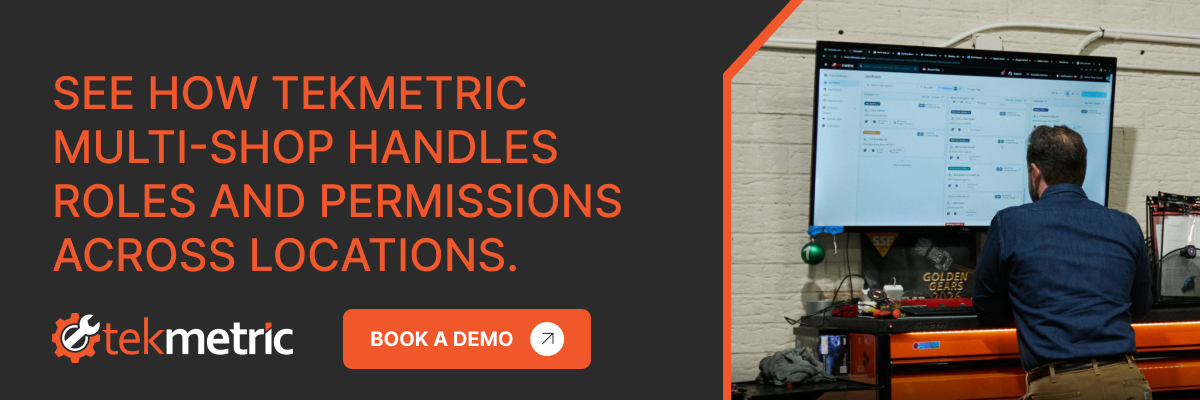
For operators running more than one location, the setup happens once. You create the employee in the Tekmetric Multi-Shop dashboard, choose their role and permissions, and select which shops they belong to. You also can see every employee in the organization in one list, including which shops each person is in and what their role is at each.
Organization owners set a separate level of Multi-Shop access on top of shop-level permissions, which is how you give a regional lead the portfolio view while a store manager keeps a store view. And because every permission change is logged with who made it, what changed, and when, the quarterly audit stops being an archaeology project.
"I've gone from doing the transaction to running the store to now have a team of ops guys that run the stores." — Matt Schwab, Clutch Automotive (MSO)
That progression is the whole point. Delegation is not a personality trait, it is an infrastructure question. You can only hand a store to somebody once the system can define what they are handing back.
The takeaway
Role-based access is unglamorous, and it is the difference between an operator who has five successful shops and an operator who has five struggling shops. Set the roles before you need them. Build them as groups you can reuse. Look at them again every quarter.
Then you are free to go somewhere else and still trust that the standard is still holding.
If you run an auto repair shop, chances are you have customers that think they know what’s going on with their vehicle as soon as they set foot in your shop. Although customers with preconceived assumptions can be frustrating at times, we have to give drivers credit for doing their research, especially now when we have a wealth of information at our fingertips.
You’re probably thinking to yourself, “Yes, but automotive repair estimates online aren’t always the best source of information.” And you’re right. But let’s think about ourselves for a second. As people who have experienced the world and have naturally developed our own worries, fears, and doubts, we tend to trust our own intuition and symptom-research sometimes more than we trust professionals.
And it’s a well known fact that consumers have a hard time trusting the auto repair industry—or any business that gives customers diagnoses for that matter. Just as people look up their symptoms online, and come to a conclusion on WebMD, they tend to do the same thing when something is wrong with their vehicle.
Whether it’s true or simply a situation where someone is convincing themselves they have said illness, the internet isn’t going anywhere. And let’s face it, we’re all guilty of using the internet for quick and easy answers, which is why it’s important to empathize with customers. Just as they may Google their symptoms, it is likely that they might type into the search bar, “Why is my car making a rattling sound?”
Of course, it is highly possible that the results that populate aren’t necessarily what an auto repair pro would point out to them. But whatever they find online still gives them some peace of mind, knowing they are informed before stepping foot into an auto repair shop that they may or may not trust.
It’s inevitable: people feel more protected if they understand—or even slightly understand—the issue at hand first.
Now, take a step back and think to yourself where your customers are getting their car repair information from. If you answered “auto repair estimate online tools,” you’re exactly right.
The Auto Repair Industry is experiencing a number of changes. From larger economic shifts to a growing technician shortage, its now more crucial than ever to set your shop up for growth.
Often in moments of chaos there are windows of opportunity.
After every economic decline, no matter how steep—the housing crisis, the dot-com bust, even the Great Depression—the world has managed to come back.
Times of economic downturn are difficult, but there is light at the end of the tunnel. As far as the virus is concerned, economists are even speaking of a “V” curve. Meaning just as fast as our economy slowed down, it may pick up that quickly too.
In other words, have hope. There are opportunities during slow periods to adjust how you operate and how you service your guests.
These opportunities can help you navigate a tricky economy and prepare your shop for when business picks up again. This may be an unprecedented time in human history, but it’s also an open window for innovation.
What you do now will have a big impact on the future of your business.
If less cars than usual are rolling into your shop for repairs, you now have some time to work on streamlining your process, being more efficient, eliminating waste (of both time and materials), and improving your marketing and guest experience.
How should shop owners approach this situation? In a way, the same way you might approach business at any other time: finding ways to innovate and improve.



.webp)

.svg)



.svg)

.svg)
.svg)
.svg)
.svg)
.svg)
.svg)
