authors

Kris Turner

Senior Content Manager

LinkedIn

browse the latest articles

Thank you! Your submission has been received!
Oops! Something went wrong while submitting the form.

Role-based visibility means each person in your shop sees the numbers and screens their job actually requires, and not the ones it doesn’t. A technician sees their job queue, their assignments, and their hours. A service advisor sees the estimates, inspections, and customers in front of them today. A store manager sees one whole shop. An owner sees the whole portfolio.

Most multi-location operators get this half right. They are careful about what people can do and less careful about what people can see.

Visibility is not the same as permission

Permissions answer a question about authority: who can apply a discount, who can unpost a repair order, who can change a labor rate. That is worth getting right, and it gets harder with every location you add.

Visibility answers something different: whose attention is this number worth?

You can get every permission toggle exactly right and still hand all four roles the same crowded screen. Nobody's data is at risk in that setup, but everybody's attention and time is at stake.

One test that sorts almost every case

Ask this about any number, report, or screen: can this person affect the outcome and improve the bottom line?

If yes, they should see it daily, and without having to ask anyone for it. If not, showing it does not create accountability. It creates noise, and eventually the habit of ignoring the screen altogether. A technician staring at portfolio gross profit is not empowered. They are distracted from the numbers they own.

Run that test role by role to discover whether your employees have the right information in front of them.
What each role needs to see

Technicians

Needs: their job queue and assignments, hours logged against each job compared with the labor guide, parts status on jobs they are about to start, and the inspection findings they documented.

Doesn't need: portfolio revenue, shop-level gross profit, and another technician's hours or pay.

A technician's ability to make an impact on the shop's bottom line is entirely on the car in front of them. Hours and parts availability are the two things they control, and parts is the one operators most often overlook — a technician who can't see whether a part is on the shelf starts jobs they can't finish.

"It's also great to be able to see approved work and hours, and it helps us keep track of our hours efficiently."
-Anecia Lewis, Tekmetric G2 review

Service advisors

Needs: the full job board for today, inspection results the moment the technician finishes them, complete customer history including declined work, and their own close ratio.

Doesn't need: other locations' performance, portfolio-level financials, and payroll.

Close ratio is the one to sit with. It is the number advisors most directly control, and the one most of them have never been shown. An advisor who doesn't know their own close ratio has no way to tell a slow week from a presentation problem.

Advisors also need one view that reaches past their own role: the technician job board. Not to manage technicians, but to route work.

"Another feature I value is the ability to view the job board for technicians, which lets me plan more effectively and assign vehicles to technicians who could use additional hours."
-Verified service advisor, Tekmetric G2 review

Store managers

Needs: their shop, completely, including car count, ARO, close ratio by advisor, technician efficiency, work-in-progress aging, discounts applied, and end-of-day reconciliation.

Doesn't need: the other locations, unless comparing locations is genuinely part of the job.

This is the one most operators get backwards. Portfolio visibility feels like a gesture of trust, and it quietly changes the conversation: a manager judged on one shop who can see five shops will start explaining their own numbers by pointing at somebody else's. Give a manager the shop they are accountable for, and the discussion stays on their side of the desk.

Multi-location owners and ops leaders

Needs: the spread. Every location side by side on the same metrics, with the ability to drill into one shop, one advisor, or one date range when something looks off.

Doesn't need: individual repair orders, most days.

The temptation at this level is to use full access to go back to running a shop. Owners should assess the gap between their best location and the worst one — a rising portfolio average can hide one store sliding backward.

Owners who have done this describe the payoff in ordinary terms:

"Everything is online — I can work from home or at any of the terminals at any shop. I am able to set up different levels of access depending on the employee's position."
-Verified multi-shop owner, Tekmetric G2 review

Both ways to get it wrong

Too much visibility costs you attention and, at the edges, discretion. Picture a technician scrolling past their own approved hours to reach a portfolio gross profit figure they can't act on, next to payroll data they were never meant to see. A screen that should have taken four seconds to read took 40, and the habit of skimming past it starts that day.

Too little costs you speed, and it costs more than operators expect. Advisors wait on approvals for information they should already have. Managers can't make a call on their own shop without phoning the owner. And technicians start work they cannot finish:

"Technicians can simply see if all parts are now in inventory or if we are waiting on them, keeping them from wasting time starting a job we're not ready for."
-George, verified user, Tekmetric G2 review

How Tekmetric scopes visibility by role

Tekmetric is an all-in-one auto repair platform, allowing multi-shop auto repair operators to configure role and visibility together rather than as two separate projects.

New employees start from a default role — owner, manager, service advisor, or technician — each with granular permissions you can adjust, set up once and applied consistently at every location. Technicians see their job queue, their assignments, and their hours. Advisors build estimates, communicate with customers in front of them, and take payment. Managers get what they need to run their shop without touching another location's data. Owners see the full portfolio in real time from a single login.

The Job Board is where the advisor's view lives, sorting active work into estimates, work-in-progress, and completed. The Tech Board gives advisors and managers a live read on every job by technician, with status and labor hours, while technicians update status from their own device instead of walking to the front desk.

At the portfolio level, one dashboard carries ARO, car count, close ratio, gross profit, and technician efficiency for every location, filterable by shop, advisor, and date range. That filtering is what makes the same dashboard work for two different jobs: the portfolio view for an owner, one store for the person running it.

"The amount of information that is available to the front desk, the service advisor, and the technician at a glance is very impressive, and the functionality of it together is great."
-Moises M., guest service representative, Tekmetric G2 review
The takeaways

Getting this right is unglamorous configuration work that pays out as speed. Here are three things to do with it:

  • Run the test on every role you have. For each number on their screen, ask whether that person can change it.
  • Give each role their own scope by default. Don't overload roles with information or data. Provide what they need and can impact.
  • Show your advisors their close ratio and your technicians their hours. Those are the two role-level numbers with the most direct line to ARO, and they are the two most often left switched off.

Then get out of the way and let each person look at the thing they can actually fix.
Role-based access is the ability to control what each employee can see and do in your shop management software based on the job they hold. A technician clocks into jobs and completes inspections. A service advisor builds estimates, sells work, and takes payment. An owner sees the money. Each person gets what the job requires and nothing beyond it.

At one location, you can run loose. You are in the building. You hear the conversation at the front counter, you notice the discount before it posts, and you can walk 20 feet to correct something. Permissions are a convenience.

At three locations, they become the only way a standard survives when you are not there to enforce it.

What role-based access actually means in a shop management system

Two ideas sit underneath the term, and they are worth separating because vendors use them interchangeably.

A role is a job function with a default bundle of access attached. Roles are defined by titles like owner, manager, service advisor, and technician. It is the starting point when you create an employee.

A permission is a single switch that determines if someone can post a repair order, export a customer list, edit a labor rate, and refund a payment.

A system with roles but no granular permissions forces you into whoever the vendor decided a "technician" is. A system with granular permissions but no way to save a configuration forces you to rebuild that configuration by hand for every new hire. What you want is both — job-level roles you can adjust, and the ability to save the adjusted version and reuse it.

That last part is where most operators get stuck, and what breaks at scale.

What changes when you go from one shop to many

Three things shift, and they compound.

You stop being in the building

This is the obvious one and still the most underrated. Presence is a control system. Remove it and you need something to take its place.

"Now I can look at everybody at a glance. I can be in a different state, different city and know exactly what's going on in each location all the time. That's not something I had before."
— Leroy Ingram, Ooroo Auto Care (MSO)

Visibility is half of it. The other half is deciding, in advance, what each person is able to do when nobody is watching.

Every standard you set needs something holding it in place

Multi-shop operators spend real effort standardizing digital vehicle inspection templates, canned jobs, the labor matrix, and discount policies. Then they hand that standard to 20 people across five buildings and hope.

Permissions are what turn a policy into a setting. If only a manager can apply a discount above a set dollar threshold, the policy holds by default instead of by memory. If only two people at each store can unpost a repair order, your month-end numbers stay clean.

Auditing turns into a job nobody has time for

At one shop with six employees, you can check everyone's access in 10 minutes. At six shops with 60 employees, you cannot.

This is where some multi-shop operators fail. It is not that operators set permissions badly. It is that they set them once, correctly, and then never look again. Six months and four hires later, nobody can tell you who has access to what.

The permissions that carry the most risk across locations

If you are evaluating software, these are the specific controls worth asking a vendor to show you in a demo.

  • Discount and pricing authority. Who can apply a discount? Who can change a labor rate or a pricing matrix? Every dollar discounted comes off the repair order total, which means it comes off both your average repair order (ARO) and your gross profit.
  • Posting and unposting repair orders. Posting finalizes the repair order and creates the accounting entries. Unposting reverses it. You want the second one narrow: enough people to fix a genuine error, not enough to make your reporting unreliable.
  • Employee and permissions management. Who can grant access is a separate question from who can edit an employee record. A system that treats them as one switch is giving away more than you think.
  • Reporting visibility. A store manager should see their store. Not everyone needs the portfolio view.
  • Customer export. The ability to download your customer list is the ability to walk out with it.
  • Payments and accounts receivable. Anything that moves money after the fact, including open balances on fleet and credit accounts.
  • Audit visibility. Login History shows who accessed the platform and when. The Inventory Activity Feed shows who changed what in parts. Permissions tell you what someone can do. Audit trails tell you what they did.

How to set this up before you open the next location

  • Write the roles down before you touch the software. List every job title you actually have, not the four the software ships with. Master technician and apprentice are different jobs. So are store managers and service advisors.
  • Build them as reusable groups, not one-off profiles. If you are adjusting permissions employee by employee after the fact, you have built something you cannot maintain and cannot audit.
  • Decide what cross-location access means. Most people need one store. A handful need several. A very small number need everything. Be deliberate about which is which.
  • Set the exception path. Someone will need something they do not have, at 4 p.m. on a Friday. Decide now who grants it and whether it gets reversed.
  • Put a quarterly review on the calendar. Access drifts. Roles change, people move stores, someone gets covered for a week and keeps the access.

How Tekmetric handles role-based access across locations

Tekmetric is an all-in-one auto repair platform, and employee access is managed in one place rather than shop by shop.

New employees start from a default role — admin, service advisor, or technician — each with its own permission set. From there you can either adjust individual permissions or assign a saved permission group, so a master technician and a junior technician can carry genuinely different access without either being configured from scratch.

For operators running more than one location, the setup happens once. You create the employee in the Tekmetric Multi-Shop dashboard, choose their role and permissions, and select which shops they belong to. You also can see every employee in the organization in one list, including which shops each person is in and what their role is at each.

Organization owners set a separate level of Multi-Shop access on top of shop-level permissions, which is how you give a regional lead the portfolio view while a store manager keeps a store view. And because every permission change is logged with who made it, what changed, and when, the quarterly audit stops being an archaeology project.

"I've gone from doing the transaction to running the store to now have a team of ops guys that run the stores."
— Matt Schwab, Clutch Automotive (MSO)

That progression is the whole point. Delegation is not a personality trait, it is an infrastructure question. You can only hand a store to somebody once the system can define what they are handing back.

The takeaway

Role-based access is unglamorous, and it is the difference between an operator who has five successful shops and an operator who has five struggling shops. Set the roles before you need them. Build them as groups you can reuse. Look at them again every quarter.

Then you are free to go somewhere else and still trust that the standard is still holding.

No items found.
Reading the ARO Gaps Among Your Shops

September 8, 2026

Read time: 3 min

read more

Your locations don't have an ARO problem. They have a consistency issue.

If you run more than one shop, you have a number you probably don't look at often enough: the distance between your highest-ARO location and your lowest. That spread isn't a meaningless number. It's a diagnosis — and it's usually pointing at something you can fix this quarter.

Seeing one shop consistently post a higher average repair order (ARO) — the average dollar amount per repair order — while another lags behind, month after month, tells you something useful and fixable — that the two shops aren't actually running the same playbook.

When identified, an ARO gap points directly at where revenue is leaking and which location can improve its bottom line. Here's how to read it, and how to close that gap.

What ARO by location actually measures

ARO is your total sales divided by your car count. On its own, a single shop's ARO tells you how much revenue you capture per vehicle. Compared across locations, ARO becomes a relative measure. It shows you which shops are upselling the customers they already have, and which ones are letting opportunities walk out the door.

That distinction matters because car count and ARO are different levers. A location can be busy and still underperform on ARO. When two of your shops see roughly the same number of vehicles but post meaningfully different ARO, the busier-but-lower shop isn't short on demand — it's short on execution somewhere between check-in and checkout.

Why the same brand produces different numbers

When you standardize on one brand, one sign, and one set of prices, you'd expect performance to converge. It usually doesn't, and the reasons tend to fall into three buckets.

1. Inspections aren't consistent

The digital vehicle inspection is where most ARO is won or lost. A location that completes thorough inspections on nearly every car — with photos and clear findings — surfaces more legitimate work and gives customers a reason to say yes. A location that treats the DVI as optional, or rushes it, never puts that work in front of the customer in the first place. Shops that consistently attach more photos and findings to their inspections tend to post a higher ARO than shops that don't, because customers can see the work rather than just hear about it.

2. Estimating and pricing drift shop to shop

If one location prices a job from an up-to-date matrix and another builds estimates by memory or old habits, you'll see the difference in ARO. The same brake job, quoted two ways, produces two different repair orders. Multiply that across every ticket, every day, at every location, and small pricing inconsistencies become a large revenue gap.

3. Workflow and presentation vary by advisor

How work gets presented — whether declined jobs are captured for follow-up, if good/better/best options are offered, and the customer sees the inspection before the phone call — all of it moves ARO. When those steps live in one advisor's head instead of in a standard workflow, they leave when that advisor does.

How to compare ARO across multiple locations

A useful ARO comparison starts with removing the excuses you can measure. Before you conclude a location is simply in a weaker market, line the shops up on the metrics that feed ARO. When you compare ARO across multiple locations, look at five things:

What to compare across locations

  • Inspection completion rate: what percentage of cars get a full digital vehicle inspection (DVI) at each location.
  • Photos and findings per inspection: whether the shop shows customers the work or just describes it to them.
  • Close ratio: of the work presented, how much the customer approves.
  • Declined jobs recovered: whether declined work is followed up over time or lost.
  • Real-time reporting: whether you can see all of the above per location, side by side, without building a spreadsheet.

Those five inputs are what separate a high-ARO location from a low-ARO one. Walk them in order, per shop:

  • Inspection completion rate — what percentage of cars actually get a full DVI at each location?
  • Photos and findings per inspection — is the low-ARO shop showing customers the work, or just telling them about it?
  • Close ratio — of the work presented, how much gets approved? A low close ratio points at presentation, not demand.
  • Declined jobs — is the shop recovering declined work over time, or letting it disappear?

When you put those side by side, the ARO gap almost always resolves into a specific, coachable behavior at a specific location — not a vague "that store just isn't as good." The lowest-ARO shop with the weakest inspection numbers is usually your single, fastest opportunity because you're not trying to create demand — you're converting cars you already have.

You can't coach a gap you can't see

The hard part for most multi-shop operators isn't knowing that consistency matters — it's seeing the gap in the first place. When each location's numbers live in a separate system, a spreadsheet, or a manager's weekly recap, the comparison is always late and never quite apples-to-apples. By the time you notice a location has slipped, you've lost a quarter.

This is where running every shop on one platform changes the math. Tekmetric gives multi-shop operators multi-location control and real-time visibility: a portfolio-wide dashboard and shop-level reporting that track revenue, ARO, car count, and technician productivity across multiple locations at once. Instead of assembling the picture after the fact, you can see which location is drifting while there's still time to coach it.

"Now I can look at everybody at a glance. I can be in a different state, different city and know exactly what's going on in each location all the time. That's not something I had before."
— Leroy Ingram, Ooroo Auto Care (MSO)

Visibility is only half of it. The same platform lets you standardize the inputs that drive ARO — DVIs, canned and Smart Jobs, pricing matrices, and discounts — across every shop, so your best location's playbook becomes every location's default rather than a secret one store happens to know.

"Seeing [a newly acquired shop] take the shift from what they've always used to Tekmetric and then grow profitability in the same four walls has been phenomenal. Some of them are just exponential."
— Matt Schwab, Clutch Automotive (MSO)

Turning the gap into a plan

Once you can see the gap and its causes, closing it is a matter of focus. A few takeaways:

  • Start with your lowest-ARO, lowest-inspection location. It's the biggest lever to pull and the fastest move to make because the demand is already there.
  • Fix one input at a time. Get DVI completion up first; inconsistent inspections are the most common root cause of a lagging ARO.
  • Make your best shop the template. Standardize its workflows, pricing, and inspection process, then apply them everywhere instead of hoping each store reinvents them.
  • Watch the gap, not just the average. A rising portfolio average can hide one location sliding backward. The spread between best and worst is the number that tells you whether your standards are actually holding.

The gaps among your best and worst shops isn't a verdict on your locations. It's a map. It shows you exactly where the next dollar of ARO is hiding.

See the gap across every location

Tekmetric gives multi-shop operators multi-location control and real-time visibility into ARO, car count, and productivity across every store — plus the standardized workflows to close the gap.

Want to see where your shops stand first? The free Tekmetric Shop Index benchmarks your ARO, car count, parts margin, and effective labor rate against thousands of shops nationwide — no account required.

A customer trusts your shop. They've been coming for years. They know the waiting room. They trust the advisor who always explains things clearly. They never worry about the estimate.

Then they move across town, stop into your newest location, and it is a different experience altogether. The inspection isn't the same. There are pricing discrepancies among shops. And, perhaps worst of all, an advisor might have no idea they're dealing with a loyal customer.

That's the hidden cost of growth. Every location that is added is another chance for the customer experience to shift, and customers notice changes fast. For multi-shop operators, a consistent customer experience isn't a branding nicety. It's the thing that lets a customer trust the name on the building instead of the people inside it.

Consistency for customers: A consistent customer experience across locations means every shop delivers the same inspection process, pricing logic, communication, and recognition of a returning customer, regardless of which location they visit. It's achieved by standardizing workflows and centralizing customer data on one platform, rather than relying on each location to run things its own way.

Why consistency gets harder with every location you add

At one shop, consistency is almost automatic. You set the tone, you know the regulars, and your team absorbs your standards by working next to you. None of that scales. At three or five or 10 locations, the owner can't be everywhere, tribal knowledge doesn't transfer, and each shop starts developing its own way of doing things.

The drift is rarely dramatic. It's a technician at one location skipping a courtesy inspection step. It's one advisor quoting brakes $40 higher than another. It's a returning customer being treated like a stranger because their history lives at a different store. Individually small. Collectively, they add up to customers who can't predict what they'll get, and unpredictability is the opposite of trust.

The four places customer experience breaks first

When experience drifts across locations, it almost always starts in the same four places. Fix these and you've fixed most of the problem.

1. The inspection

The digital vehicle inspection (DVI) is where customers form their opinion of your shop. It's the moment they see what's wrong with photos and video instead of taking your word for it. If one location runs a thorough inspection with images and another does a quick once-over, customers get two completely different impressions of how careful your brand is. Standardizing the inspection is the single highest-leverage consistency move a multi-shop operator (MSO) can make. See how a strong DVI strategy drives approvals and trust.

2. Pricing and the menu of jobs

Nothing erodes trust faster than a customer discovering the same repair costs more at one of your locations than another. When labor rates, parts pricing, and common ("canned") jobs are set independently at each shop, that gap is inevitable. Consistent pricing logic across locations keeps a customer from feeling penalized for walking into the wrong door.

3. Customer history and recognition

Customers expect the businesses they frequent to remember them. Every major retailer can see what you bought and where, no matter which store you walk into. Auto repair customers have the same expectation now. If a loyal customer's records are trapped at the location where they were created, your newest shop can't see the declined brake job from last spring or the maintenance that's now due. Shared history is what lets any location pick up the relationship where the last one left off. Learn how Shared Customer History works.

4. Communication

How you reach customers, texts for approvals, inspection links, status updates, sets the tone for the whole visit. If one location texts photos and estimates within minutes and another still calls and describes problems over the phone, customers experience two different service standards under one brand. Consistent communication templates and channels keep the voice of your business the same everywhere.

How multi-shop software makes consistency the default

Here's the shift: consistency shouldn't depend on every location choosing to do the right thing. It should be built into the system they all work in. That's what a true multi-shop platform does. It turns your standards into settings, so the right way is simply the way the software works.

With Tekmetric Multi-Shop, operators standardize DVIs, canned jobs, pricing, and discounts across every location from one place, so a repair order opened at any shop starts from the same playbook.

Shared Customer History connects customers across shops, so any location can view a customer's full history, declined jobs, past service, contact info, without re-entering it or treating them like a first-timer.

And because everything runs on one login with a portfolio-wide dashboard, owners see how each location is actually performing in real time, not just revenue, but the operational habits that shape the customer experience. When a location starts to drift, you can see it and coach it before customers feel it.

Why it matters: Standardization isn't about making every shop identical for its own sake. It's about making a promise to customers, the same care, the same clarity, the same recognition, that holds no matter which of your locations they choose. That promise is what turns multiple shops into one trusted brand.

What it looks like when it works

Leroy Ingram, who runs Ooroo Auto Care, put the visibility side of it plainly:

"Now I can look at everybody at a glance. I can be in a different state, different city and know exactly what's going on in each location all the time. That's not something I had before."
— Leroy Ingram, Ooroo Auto Care

That's the operational backbone of consistency: when an owner can see every location clearly, standards stop being a hope and start being something you can actually manage.

Where to start

You don't have to fix everything at once. If you're feeling the drift, start with the highest-impact standard and work down.

  • Standardize your inspection first. Set one default DVI template so every vehicle at every location gets the same thorough treatment.
  • Align pricing and canned jobs so the same repair costs the same across shops.
  • Connect customer history so any location can recognize and serve a returning customer.
  • Standardize communication so approvals, estimates, and updates feel the same everywhere.

Do those four things and you'll close most of the customer experience gaps between your best location and your newest one.

Auto Repair Platform Features that Actually Matter

August 25, 2026

Read time: 3 min

read more

The most important features in auto repair shop management software are the ones that connect your business end-to-end: repair orders and estimates, digital vehicle inspections, parts ordering and inventory, integrated payments, and real-time reporting. If a system does those five things well, and keeps them in one place instead of five, it will vastly improve how your shop runs.

The hard part isn't finding software with a long feature list. It's telling the difference between features that move the needle in your bays and features that just look good in a sales demo. This guide breaks down the categories that matter, what each one actually does for your shop, and what to look for when you compare options.

1. Repair Orders and Estimates That Flow Together

What it is: The digital repair order (RO) is the backbone of the shop management system. Estimates should build fast — pulling in labor times and parts — and flow directly into the RO without rekeying anything.

Why it matters: This is where most of your team's wasted time hides. When an estimate becomes an RO in one click, and job templates drop in common parts and labor automatically, a service advisor can build a ticket in a fraction of the time. Over a full day of ROs, that adds up.

What to look for: Pre-built job templates, labor guide integration, and a clean estimate-to-authorization path. In Tekmetric, Smart Jobs allow advisers to build ROs from templates with parts and labor already attached, and estimates flow straight into the repair order.

2. Digital Vehicle Inspections (DVIs)

What it is: A digital inspection lets technicians document findings with photos and videos from a phone or tablet and send them straight to the customer.

Why it matters: Customers approve work they can see. A photo of a worn brake pad does more to earn trust — and a yes — than a line item on a paper estimate. That trust is what lifts approval rates and average repair order value, and it's why DVIs are one of the few features worth treating as non-negotiable.

What to look for: Photo and video capture, quick send-to-customer, and digital authorization built into the same flow. Tekmetric shops have reported meaningful ARO gains from strong DVI use, with ARO value rising from a $612 baseline to $741 for shops that use DVIs consistently.

3. Parts Ordering and Inventory

What it is: Parts management covers two things: knowing what's on your shelf, and ordering what isn't — ideally without leaving the repair order.

Why it matters: Parts are where margin quietly leaks out of a shop. Wrong parts, duplicate orders, and time lost bouncing among supplier tabs all cost money. When ordering is built into the RO and inventory updates as parts are used, your team stays in one screen and your margins stay protected.

What to look for: Integrated ordering through the supplier networks you already use, real-time stock visibility, and a parts matrix to keep pricing consistent. Tekmetric connects to parts suppliers so technicians can order parts as they diagnose issues.

4. Integrated Payments

What it is: Payments that live inside the shop management system, so checkout, reconciliation, and reporting all run off the same data.

Why it matters: A faster checkout is a better customer experience, and integrated payments mean you're not hand-matching a separate processor's statements at the end of the day. Options like text-to-pay and financing also help customers say yes to bigger jobs.

What to look for: Card and digital wallet acceptance, Text-to-Pay, built-in reconciliation, and financing options — all reporting into one place. In Tekmetric, payments are a built-in add-on rather than bolted on. There is no separate terminal, no third-party login, and no support ticket when something does not sync. Refunds, disputes, and deposits are handled in the same platform shops use to run repair orders.

Tekmetric customers have access to all of this: Buy Now, Pay Later partners like Affirm, Klarna, and Sunbit make bigger repairs affordable for customers, and shops offering flexible consumer financing can increase average repair order value by up to three times. Add same-day setup, next-day funding, and fraud protection through Stripe Radar, and payments stop being a separate system to manage. They become one more step in a workflow shops already know.

5. Real-Time Reporting

What it is: Live visibility into the numbers that tell you how the shop is running — average repair order, car count, gross profit, technician productivity — without waiting for month-end.

Why it matters: You can't fix what you can't see. Real-time reporting is what turns a platform from a digital filing cabinet into a tool you actually run the business with. It's also the feature owners underrate at buying time and rely on most six months in.

What to look for: Key metrics on a dashboard, the ability to drill into a technician or a location, and reporting you can trust without exporting to a spreadsheet. Tekmetric surfaces these metrics in real time from the shop counter or from home.

The Features That Tie It All Together

Cloud-based access and a real mobile app

If the platform only lives on the computer at the front counter, half its value is stuck there. Cloud-based access means you can check the shop from home, and a real mobile app keeps technicians moving without walking back and forth to a terminal.

Integrations with the tools you already use

No platform does everything, so the ones that connect cleanly to accounting, parts suppliers, and marketing tools win. Tekmetric offers more than 70 integrations so you can build the workflow around your shop instead of the other way around.

How to Evaluate an Auto Repair Platform

A quick lens when you're comparing options:

  • Is it connected? The point of a platform is that repair orders, parts, payments, and reporting talk to each other.
  • Will your team actually use it? The best feature set loses to the one your advisors and technicians will adopt in a week, not a quarter.
  • Does it show you the numbers? If you can't see ARO, car count, and gross profit in real time, you're flying blind.
  • Can it grow with you? Your platform should grow with your business, especially for multi-shop operators.

Get those four right and the feature checklist mostly takes care of itself. The categories above — repair orders, DVI, parts and inventory, payments, and reporting — are the ones that decide whether your shop runs faster and more profitably or just runs the same way with a nicer screen.

No items found.
Grow Every Multi-Shop Location

August 18, 2026

Read time: 3 min

read more

Tekmetric standardizes how every auto repair shop operates

Running multiple shops should mean more revenue, more repair orders, and more momentum. For most MSOs, it also means more complexity, inconsistency, and time spent putting out fires instead of building the business.

The problem isn't growth. It's that most shop management systems weren't built for it. Separate logins for each location. No unified view of revenue or performance. Processes that drift from shop to shop until every location is running differently and nobody can figure out why the numbers don't match. Tekmetric fixes that at the root — one platform, every location, standardized from day one.

Tekmetric shops see measurable revenue growth as they adopt platform features. Shops average $612 per repair order (ARO), but that number climbs to $741 when they use Digital Vehicle Inspections and reaches around $800 when they add MotoVisuals videos. The lift isn't about charging customers more; it's about transparency, showing them what their vehicle needs so they can make confident, informed decisions. It also builds trust.

The operators running on Tekmetric show what that looks like in practice. Main Street Auto, a nationwide network of community-rooted shops, grew from six locations to more than 115 with Tekmetric at the core of every one. Rush Automotive, in Austin, Texas, saw $9,000 in new revenue in the first month across five locations. CarTech Auto Center, operating across multiple locations in Puerto Rico, grew monthly revenue 48% in nine months. The platform didn't change their ambition. It gave them the infrastructure to act on it.

Customer Experience

Customers Don't Know Which Location Is Your Best. Tekmetric Ensures They Can't Tell the Difference.

Inconsistencies across locations cost you. Skipped DVI photos, estimate delays, and declined jobs that nobody follows up on quickly add up, decreasing your revenue, and negatively affecting customer experience.

The shops that grow their ARO, earn repeat business, and generate the kind of reviews that actually drive traffic all share the same foundation: customers trust them. And trust isn't built in a single interaction — it's built through consistent, transparent communication every single time a vehicle comes in.

Tekmetric gives you the tools to make that consistency automatic. Inspections follow the same template at every location, with photos and video built into the estimate. Customers get their quote by text, approve the work from their phone, and can pay before pickup with Tekmetric Payments built in. Text-to-Pay, card-on-file, and Buy Now, Pay Later options make checkout faster and remove friction from bigger approvals. Their vehicle history travels with them, so when a customer visits a different one of your locations, whoever's at the desk already knows their vehicle history.

With Tekmetric Marketing running in the background, customers get automated appointment reminders, follow-ups on declined services, and service reminders based on real vehicle data. Online booking lets them schedule service 24/7 without picking up the phone. Google Review requests go out automatically after every completed service, turning great work into lasting reputation.

When shops share eight or more inspection photos with customers, ARO goes up because customers can see the repairs their vehicle needs. Euro Car Doctors, in Orange County, Calif., used that approach and grew their average ARO to more than $900. Garagisti, in Houston, Texas, built a practice around transparent, DVI-driven customer communication from day one and has averaged a $1,600 ARO since opening.

What This Looks Like in Practice

  • Standardized DVIs, streamlined customer communication, and shared vehicle history across every location so every customer gets the same experience regardless of which shop they walk into
  • Text-to-Pay and Buy Now, Pay Later built into checkout to speed up payments and boost approval on bigger repairs
  • Automated follow-up on declined services and service reminders that run from real vehicle data, not generic time intervals
  • Online booking available 24/7 so customers can schedule service without waiting for business hours
  • Google Review requests sent automatically after every completed service — no manual steps required

Permissions & Access Roles

Tekmetric Puts the Right Data in Front of the Right People Across Every Location

When you add a location, you're not just adding bays, you're adding staff, risk, and the need for accountability at a distance. The right access structure makes all three manageable.

Most MSOs hit a wall when they try to manage growing teams without the right controls in place. Too much access creates risk such as errors in repair orders, incorrect discounts, and sensitive financial data visible to people who don't need it. Too little creates friction, leaving advisors waiting on approvals, technicians without job visibility, and managers unable to make calls on their own.

Tekmetric gives you granular, role-based controls across every location. Technicians see their job queue, their assignments, and their hours. Managers have what they need to run their shop without touching another location's data. Advisors can build estimates, communicate with in-store customers, and process payments. Owners see the full portfolio in real time from a single login.

Before switching to Tekmetric, Will Rivera, owner of CarTech Auto Center in Puerto Rico, had to log into each of his five stores separately just to check sales or inventory. There was no unified view of the business, no way to enforce consistency, and no clean data to make decisions from. Within nine months of switching, CarTech had grown monthly revenue by 48%. Once CarTech had the structure to run five locations cleanly, expansion became the goal instead of survival.

What This Looks Like in Practice

  • Owner, manager, service advisor, and technician roles with granular, customizable permissions that are set up once and applied consistently at every location
  • Cross-location visibility for owners and ops leaders, with shop-level access for everyone else. Accountability is built into the platform and not enforced manually.
  • Controlled access to sensitive actions like unposting ROs, giving the right people the ability to correct errors without opening the door to bigger ones

Change Management

Switching Shop Software Doesn't Have to Disrupt Your Business. Here's How MSOs Make It Work.

Adopting new software across multiple locations is a real operational challenge. Tekmetric is built for it, from contract to live in a few days.

Christian Brothers Automotive migrated about 200 stores to Tekmetric in three months. Main Street Auto onboards 20 to 25 new locations a year and keeps growing. These aren't small transitions executed by large IT teams — they're operational rollouts managed by auto repair shop employees, built around Tekmetric's onboarding process.

Every new Tekmetric customer gets a dedicated onboarding manager who builds a rollout plan around your schedule, not a generic timeline. Data migrates. Workflows get configured. And most teams are fully operational within a week of going live, with results measurable within 30 days. That's not a promise. It's a framework Tekmetric has built and refined across thousands of shop launches.

The platform itself is designed to be learned fast. SJ Automotive cut estimate creation time from 40 minutes to about 10 minutes after switching. That's not a team that spent weeks in training. That's a team that picked up an intuitive tool and immediately got more done. When the platform is easy to use, adoption isn't a change management project. It's what happens when the tool earns buy-in on its own.

What This Looks Like in Practice

  • A dedicated onboarding manager, data migration support, and a go-live timeline built around your shops, not a one-size-fits-all playbook
  • An intuitive platform with a training hub, knowledge base, and U.S.-based support, so your team gets productive fast and stays that way
  • Access to the Tekmetric User Group, a community sharing what works, so you grow alongside operators who have already been where you are

Inventory & Parts Sharing

Stop Paying for Parts You Already Own. Tekmetric Gives Every Location Real-Time Visibility Into Stock.

When parts data is fragmented across locations, technicians wait, repairs get delayed, and margin slips through the cracks. Tekmetric centralizes inventory across every shop so your team always knows what's in stock, what's on order, and where to find it.

Multi-location inventory has a way of quietly breaking down. Parts get ordered twice because one location didn't know another had them. Technicians start jobs they can't finish. Reconciliation eats hours at the end of every month. The fix is straightforward: one centralized view of what's in stock across every location, updated in real time.

With Tekmetric, every authorized user sees real-time parts availability across every location. Orders happen directly inside the repair order — no supplier portal, no manual entry, no switching systems. When a technician picks up a job, they can see immediately whether parts are in stock or on order, so they're never starting work they can't complete. And when inventory hits a minimum threshold, reorder alerts surface automatically.

What This Looks Like in Practice

  • Real-time parts visibility across every location, connected directly to the repair order workflow so technicians, advisors, and managers always know what’s in stock
  • Parts ordering through PartsTech and others, directly from inside the RO. No portal toggling, no duplicate entries.
  • Automatic reorder alerts, purchase order tracking, and parts usage reports that give ops leaders a clean view of inventory performance across the portfolio

Profitability & Reporting

The Gap Between Your Best Auto Repair Shop and the Rest Isn't a Mystery. It's a Data Issue.

You know which locations perform. Tekmetric shows you exactly why, in real time, so you can act before the day is done.

Most MSOs are managing with last week's numbers at best. Reports get built manually. Data gets pulled from separate systems. By the time you know there's a problem at a location, the opportunity to act quickly and solve it is gone. That lag doesn't just slow down your decisions, it costs you money in real time.

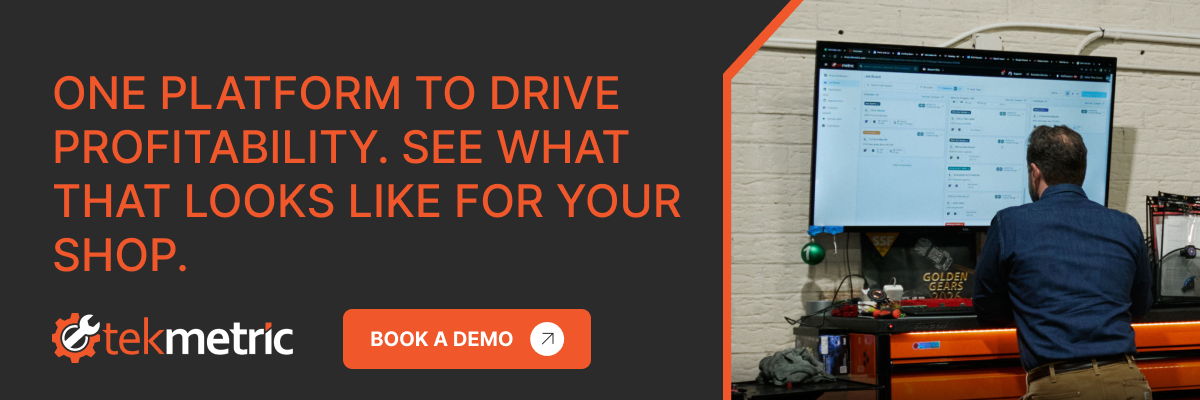
Tekmetric's portfolio dashboard puts every location's data in one live view. ARO, car count, close ratio, gross profit, and technician efficiency are all filterable by shop, advisor, and date range, giving you a complete picture of what's working and where the gaps are. Seeing your top performer and your underperformer side by side makes it clear exactly what the best shop is doing that the others aren't.

The operators who use this visibility don't just track results — they act on them. Branch Automotive used Tekmetric's real-time data to build nine straight month-over-month increases in ARO, driven by stronger inspections, clearer recommendations, and the kind of customer trust that leads to consistently higher-value work. These aren't outliers; they're what happens when operators finally have the data to make better calls.

What This Looks Like in Practice

  • A portfoliowide dashboard showing ARO, car count, close ratio, and gross profit across every location in real time with shop-level filtering so you can see the full picture or drill into one location
  • Built-in reporting on technician productivity, DVI impact on ARO, end-of-day reconciliation, and discount and fee analysis — no exports, no spreadsheets, no five-hour Friday afternoon
  • Labor and parts matrices that lock in consistent pricing across locations, protecting margins and making every shop’s numbers comparable